
Answer centre
University cloud labs: guides, answers and practical advice
Editorial guides for the people planning, buying and running cloud-based teaching labs in higher education — written to answer the questions directly, including the ones with awkward answers.
What is a university cloud lab?
A university cloud lab is a teaching computing environment — usually virtual machines or complete multi-machine networks — hosted on cloud infrastructure and accessed remotely by students, typically through a browser. Universities use cloud labs to give every student an identical, module-specific environment without maintaining rooms of physical PCs or fighting per-laptop installations.
Who these guides are for
They are written for university IT and infrastructure teams evaluating or replacing lab platforms, for lecturers and course leaders whose practical modules are limited by what campus machines allow, and for procurement and finance colleagues who need the cost model rather than the marketing.
They are editorial, not sales pages: each guide answers its question on its own terms, compares the real options — including building it yourself and keeping physical labs — and mentions Education Host's Cloud Pulse platform only where it is genuinely relevant.
Guides in this series
Start with the complete guide for the whole picture, or go straight to the question you are here to answer.
Start here
University cloud labs: a complete guide
What university cloud labs are, how they work, how they differ from physical labs and VDI, and how to evaluate, pilot and measure a deployment.
Read the complete guidePlanning and procurement
Azure Lab Services alternatives
Why universities are replacing Azure Lab Services before its June 2027 retirement, what an alternative needs to cover, and how to evaluate and pilot one.
Read the guideDelivery models
Managed cloud labs versus building in Azure
What building a teaching-lab service from Azure resources really involves, who runs it afterwards, and a framework for choosing between in-house, managed and hybrid delivery.
Read the guidePlanning and procurement
Running a cloud lab pilot
How to design a pilot that produces a real decision: module selection, readiness checks, staged structure, grouped success criteria and honest proceed, revise or stop calls.
Read the guideDelivery models
Virtual labs versus VDI
Where teaching-focused virtual labs and VDI overlap, where they differ in purpose, which workloads suit each, and why most universities end up running both.
Read the guideDelivery models
Replacing physical computer labs
Which computing-lab workloads move well to cloud or hybrid delivery, which genuinely should not, and how to phase the change without breaking teaching.
Read the guideAccess and distance learning
Remote labs for distance learning
How practical computing reaches remote, blended and part-time students: access methods, weak devices and connections, time zones, remote support and assessment.
Read the guideWindows, Linux and specialist workloads
Windows and Linux virtual labs
When courses need Windows, when they need Linux, how mixed modules work, and the access, licensing and reset questions that decide whether an OS lab succeeds.
Read the guideSecurity and governance
Cyber security labs
What security teaching needs from a lab — isolation, disposable targets, Windows and Linux machines, lecturer control — and the safeguards that keep it defensible.
Read the guideSecurity and governance
Cloud lab security and governance
The controls that keep a lab estate defensible: layered security, identity, isolation, logging, template approval, supplier due diligence and end-of-module governance.
Read the guideSecurity and governance
Microsoft Entra ID for cloud labs
How university Microsoft accounts control access to cloud labs: SAML and OpenID Connect, claims minimisation, group and role mapping, MFA, lifecycle and outage planning.
Read the guideTeaching environments
AI development environments
How universities provide consistent Python, notebook and local LLM environments for AI modules — and how teaching labs differ from productivity tools like Copilot.
Read the guideTeaching environments
Networking modules
Which networking exercises work in cloud labs, which still need physical kit, and how topologies, isolation, packet capture, resets and assessment work in practice.
Read the guideTeaching environments
Database modules
How to give every student a database server they can administer, break and reset — engines, credentials, datasets, group projects and what happens to data at module end.
Read the guideTeaching environments
Software-development courses
Consistent development environments for whole cohorts: language stacks, Git workflows, running web apps and APIs, secrets discipline, group projects and honest local-versus-cloud trade-offs.
Read the guideReusable templates and lecturer-led lab creation
Reusable virtual machine templates
How to build module environments once and redeploy them every semester: the creation lifecycle, pre-capture and testing checklists, cleaning, versioning and assessment integrity.
Read the guideCosts and infrastructure
University cloud lab costs
The full cost model for university cloud labs: infrastructure, platform fees, licensing, idle waste, staff time and hidden costs — and the budgeting questions to ask.
Read the guideCosts and infrastructure
Controlling student cloud costs
The operational side of lab economics: schedules, quotas, sizing, idle hygiene, alerts, exception workflows and cost attribution — without making labs unusable.
Read the guideThe topic areas these guides cover
Each area links the relevant guides and the Education Host pages that go deeper — more guides are added over time.
Planning and procurement
How to scope a cloud lab requirement, replace a retiring service and run a pilot that produces evidence rather than impressions.
Delivery models
Managed platforms, building in public cloud, VDI and the future of the physical estate — the structural choices about how teaching labs are delivered.
Teaching environments
What practical modules need from their environments — AI and Python stacks, networking topologies, database servers and full development toolchains.
Access and distance learning
Browser, RDP and SSH access, weak devices and connections, time zones and remote support — making practical modules work wherever students are.
Security and governance
Isolation, identity and SSO, acceptable-use boundaries, logging and supplier due diligence — the controls that make hands-on teaching defensible.
Costs and infrastructure
What cloud labs cost, where budgets leak, and the operational controls — schedules, quotas, lifecycle — that keep student usage inside them.
Windows, Linux and specialist workloads
When modules need Windows Server, when they need Linux, how mixed exercises work, and the access and licensing questions in between.
Reusable templates and lecturer-led lab creation
Building a module environment once and redeploying it every semester — and putting that power in lecturers' hands, not a ticket queue.
What do universities use cloud labs for?
The strongest cases are the modules that locked-down campus PCs and student laptops handle worst: teaching that needs administrative rights, servers, isolated networks or heavyweight stacks that must be identical for every student.
- Operating systems and Linux administration modules, with root access on disposable servers
- Windows Server and infrastructure teaching, without physical servers per student
- Cyber security exercises on isolated private networks with deliberately vulnerable targets
- Networking modules where students build and break multi-machine topologies
- AI, Python and data science teaching, including local large language model labs
- Software, web development and database modules with full, consistent toolchains
- Temporary environments for final-year projects, summer schools and short courses
- Practical teaching for distance-learning students who never reach a campus lab
The main decisions universities need to make
Most cloud lab projects come down to five decisions, and the guides in this centre exist to inform them.
- 1
Delivery model
Build directly in public or private cloud, adopt a managed teaching platform, or split workloads with VDI and a smaller physical estate — the managed cloud labs versus Azure, VDI comparison and physical-labs guides each take one of these decisions in depth.
- 2
Platform fit
Whether a candidate platform matches how your institution actually teaches: lecturer-led environment creation, cohort provisioning, multi-machine labs — the evaluation checklists live in the complete guide and the Azure Lab Services alternatives guide, and the pilot guide covers proving fit on a real module.
- 3
Operating system coverage
The Windows and Linux mix your module portfolio needs, and how licensing is handled — covered in the Windows and Linux labs guide.
- 4
Security and governance model
Isolation, identity and SSO, acceptable-use boundaries, logging and supplier due diligence — the security and governance guide covers the estate-level controls, with the cyber security labs and Microsoft Entra ID guides going deeper on teaching isolation and sign-in.
- 5
Cost model and controls
What will be metered, what is predictable, and who watches for idle waste — the costs guide sets out the full structure, and the cost-control guide covers the operational side: schedules, quotas, sizing and attribution.
Where Cloud Pulse fits
Cloud Pulse is Education Host's browser-based computing lab platform for universities and colleges: lecturers create student-ready environments from reusable templates, design multi-machine labs with private networks, and monitor every student environment live — delivered as a managed service on UK data-centre infrastructure. Where a guide discusses a capability Cloud Pulse provides, it says so and links to the platform page; where another approach fits better, the guides say that too.
Explore Cloud Pulse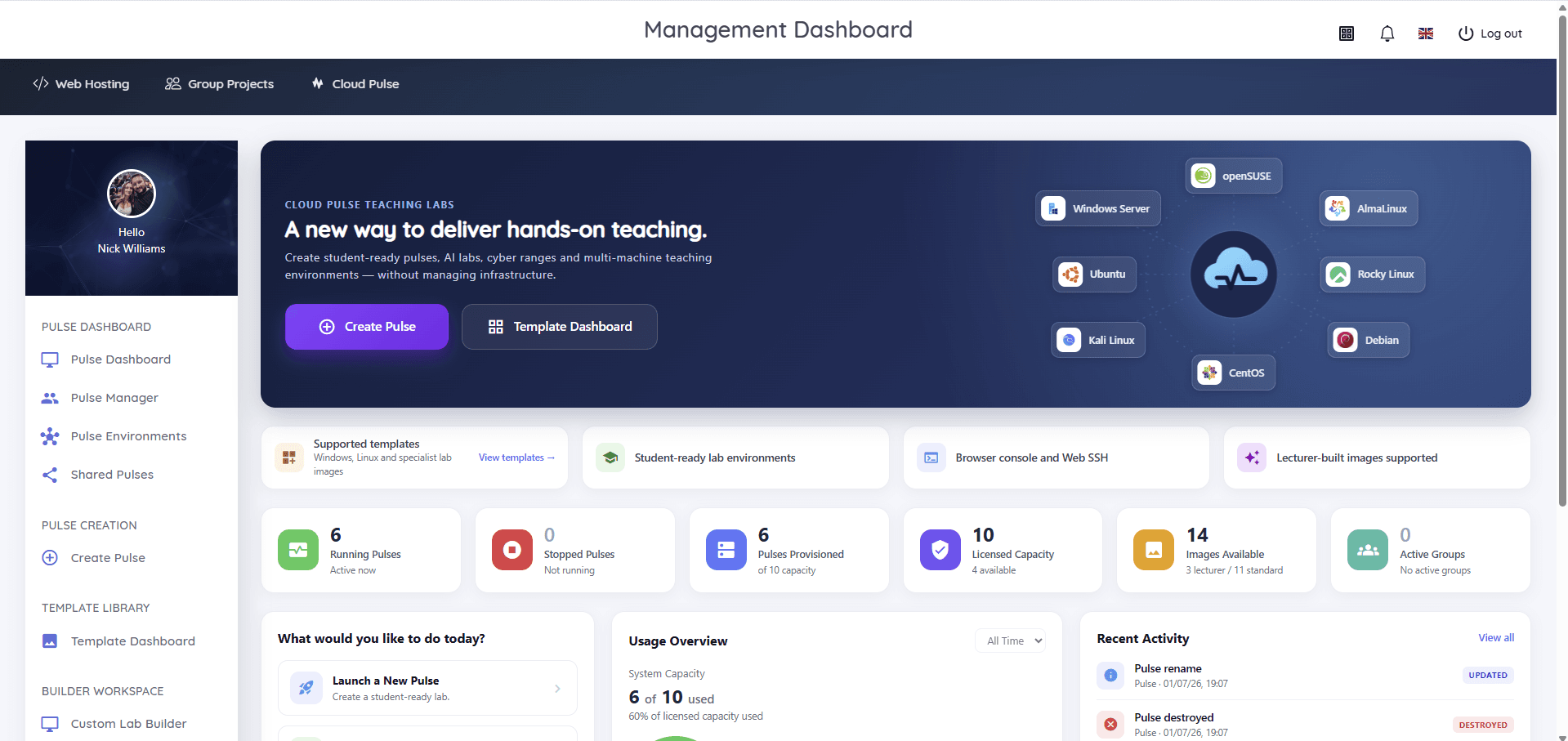
Planning or replacing lab infrastructure?
If these guides raise questions specific to your institution — a retirement deadline, a difficult module, a budget that will not stretch — we are happy to talk them through honestly, including where a cloud lab is not the right answer.
Every deployment starts with a conversation
Tell us about your modules, cohorts and lab estate — we will answer the technical and commercial questions honestly, including where a cloud lab is not the right fit.