
Answer centre
Student web hosting: guides and practical answers for universities
Editorial guides for the people who provide, run and teach on student web hosting — written to answer the questions directly, from first principles to procurement.
What is student web hosting?
Student web hosting is web hosting a university provides to its students: each student gets their own account — usually on an institution-branded subdomain with SSL — where they publish websites, run PHP and databases, and install applications such as WordPress for coursework, portfolios and projects. It exists because practical web teaching needs real hosting, delivered with institutional sign-in, lecturer visibility and a clean end-of-course lifecycle.
Who these guides are for
They are written for university IT teams who run or procure hosting estates, for lecturers whose modules need students publishing real work, for digital-education and web teams weighing delivery models, and for procurement and finance colleagues who need the cost structure rather than a rate card.
They are editorial, not sales pages: each guide answers its question on its own terms — including where free platforms, in-house servers or no hosting at all are the honest answer — and mentions Education Host's Student Web Host Manager platform only where it genuinely fits the subject.
Guides in this series
Start with the complete guide for the whole picture, or go straight to the question you are here to answer.
Start here
Student web hosting for universities: a complete guide
What student web hosting is, why universities provide it, how it differs from cloud labs, and how to organise, secure, cost and pilot a hosting service.
Read the complete guideWeb-hosting basics
What is web hosting?
Web hosting from first principles: servers, domains, DNS, HTTPS, files and databases, the hosting types, and what actually suits university coursework.
Read the guidePlanning and procurement
How universities provide hosting
The realistic delivery models — institution-managed hosting, commercial accounts, shared servers, cloud labs, app platforms, local-only — compared honestly across identity, lifecycle, support and cost.
Read the guidePlanning and procurement
Shared hosting versus cloud labs
Hosting accounts and lab environments solve different teaching problems — the definitions, a subject-by-subject allocation, and how the two coexist without duplication.
Read the guideDomains, databases and applications
cPanel hosting for universities
What cPanel gives students and institutions: the tools students learn, how accounts are separated, what WHM is, the limits — and why big deployments need a management layer.
Read the guidePlanning and procurement
Choosing a control panel
cPanel, Plesk, DirectAdmin, custom portals, command-line hosting and app platforms — evaluated against student usability, automation, licensing and the education layer no panel provides.
Read the guideAccounts and identity
Automating hosting accounts
From class list to working accounts without manual work: bulk creation, naming, SSO over passwords, validation, idempotency, auditing and the suspension-to-deletion lifecycle.
Read the guideAccounts and identity
Microsoft Entra ID SSO
University sign-in for hosting accounts: what the integration needs, module-group access, roles, MFA, leavers, the local-password question and a launch testing checklist.
Read the guideAccount lifecycle and retention
Organising by module and cohort
Hosting that mirrors academic structure: teaching blocks, enrolment churn, delegation to lecturers, per-class packages, year rollover and the awkward cases in between.
Read the guideTeaching and coursework
Group project hosting
Shared sites without shared chaos: group accounts, permissions, ownership, member changes, credential hygiene, contribution evidence and preserving the submission.
Read the guideTeaching and coursework
Web-design and development courses
Mapping the web curriculum onto hosting: publishing from week one, accessibility testing on real URLs, source control and deployment, staging concepts, portfolios and assessment.
Read the guideDomains, databases and applications
PHP, MySQL and WordPress
The teaching stack that shared hosting runs natively: databases per student, WordPress installs where enabled, credential hygiene, resets, plugin policy and coursework preservation.
Read the guideWeb-hosting basics
Domains, subdomains and DNS
How student sites get their addresses: subdomains versus purchased domains, naming policy, the DNS records that matter, HTTPS, and what happens to names when courses end.
Read the guideSecurity and governance
Security and abuse management
Securing an estate of beginner-run public websites: isolation, compromise response, malware and spam control, resource abuse, investigation workflow and acceptable use.
Read the guideAccount lifecycle and retention
Backups, resets and recovery
Who backs up what, how students recover deleted files and broken databases, backup versus snapshot, lecturer resets, and why assessment submissions need separate preservation.
Read the guideAccount lifecycle and retention
Suspending, archiving and deleting accounts
The end-of-course lifecycle done properly: suspension versus archiving versus deletion, notice and download windows, resits and graduates, group projects and personal data.
Read the guideTeaching and coursework
Portfolios and client projects
The two highest-stakes uses of student hosting: portfolios that must outlive graduation, and client projects that need ownership, handover and data boundaries drawn before work starts.
Read the guideCosts and operations
Student web hosting costs
The cost structure of a hosting estate: infrastructure, licences, backups, support and staff time, how academic peaks shape sizing, and a budgeting framework with procurement questions.
Read the guideThe topic areas these guides cover
Each area links the relevant guides and the Education Host pages that go deeper — more guides are added over time.
Web-hosting basics
Hosting from first principles — servers, domains, DNS and HTTPS — explained for readers (and students) meeting them for the first time.
Planning and procurement
Delivery models, panel choices and the evaluation questions that separate a hosting estate from a pile of accounts.
Accounts and identity
Provisioning cohorts from class lists, university sign-in instead of hosting passwords, and the automation that makes September boring.
Teaching and coursework
Hosting through the curriculum — web-design courses, group projects, portfolios and client briefs, with assessment built in.
Domains, databases and applications
The working stack: cPanel accounts, PHP and MySQL, WordPress where enabled, and the names and records student sites live behind.
Security and governance
Securing hundreds of beginner-run public sites: isolation, compromise response, spam control, investigations and acceptable use.
Account lifecycle and retention
Modules, cohorts and marking windows; backups and resets; and what happens to every account between enrolment and deletion.
Costs and operations
What a hosting estate really costs — including the staff time budgets forget — and the procurement questions that get honest answers.
What do universities use student hosting for?
The strongest cases are wherever students must publish real, assessable work on infrastructure the institution governs.
- Web development coursework — HTML, CSS, JavaScript, PHP and MySQL on real accounts from week one
- WordPress teaching for CMS, digital publishing, marketing and client-project modules
- Portfolios that accumulate across a programme and carry into job applications
- Group project sites with shared ownership and preserved submissions
- Digital business and marketing modules that need live sites and real URLs
- Client briefs built and staged under module governance
- Creative and media coursework published on institution-branded addresses
- Assessment at stable URLs through marking and appeals windows
Hosting accounts or cloud labs — which does your module need?
A hosting account is a managed slice of a web server: students build and publish websites while the platform runs everything underneath — right for web development, WordPress and portfolio teaching. A cloud lab is a whole environment the student controls: root access, any stack, disposable by design — right when the server, network or toolchain is itself the subject. Most computing portfolios need both, for different modules, and the two answer centres exist because the questions differ.
The main decisions universities need to make
Most student-hosting projects come down to five decisions, and the guides in this centre exist to inform them.
- 1
Delivery model
Institution-managed hosting, students' own accounts, a departmental server, or a managed service — the delivery-models guide compares them across identity, support, lifecycle and honest cost.
- 2
Panel and stack
cPanel, another panel or a custom front door, and what the accounts expose — covered in the cPanel guide and the control-panels comparison.
- 3
Identity and provisioning
University sign-in over hosting passwords, and accounts created from enrolment data rather than by hand — the SSO and automation guides carry the detail.
- 4
Structure and lifecycle
Hosting that knows about modules, cohorts and marking windows, with suspension, archival and deletion on policy — the organising and retention guides map it.
- 5
Security and budget
Containment for an estate of beginner-run public sites, and a budget that prices staff time honestly — the security and costs guides ask the hard questions.
Where Student Web Host Manager fits
Student Web Host Manager is Education Host's education-focused management layer over real cPanel hosting: bulk provisioning from enrolment data, Microsoft Entra sign-in, courses, modules and teaching blocks, delegated lecturer visibility, suspension and lifecycle automation, and estate-wide reporting — with students working in industry-standard cPanel on institution-branded subdomains. Where a guide discusses a capability the platform provides, it says so and links to the platform page; where another approach fits better, the guides say that too.
Explore Student Web Host Manager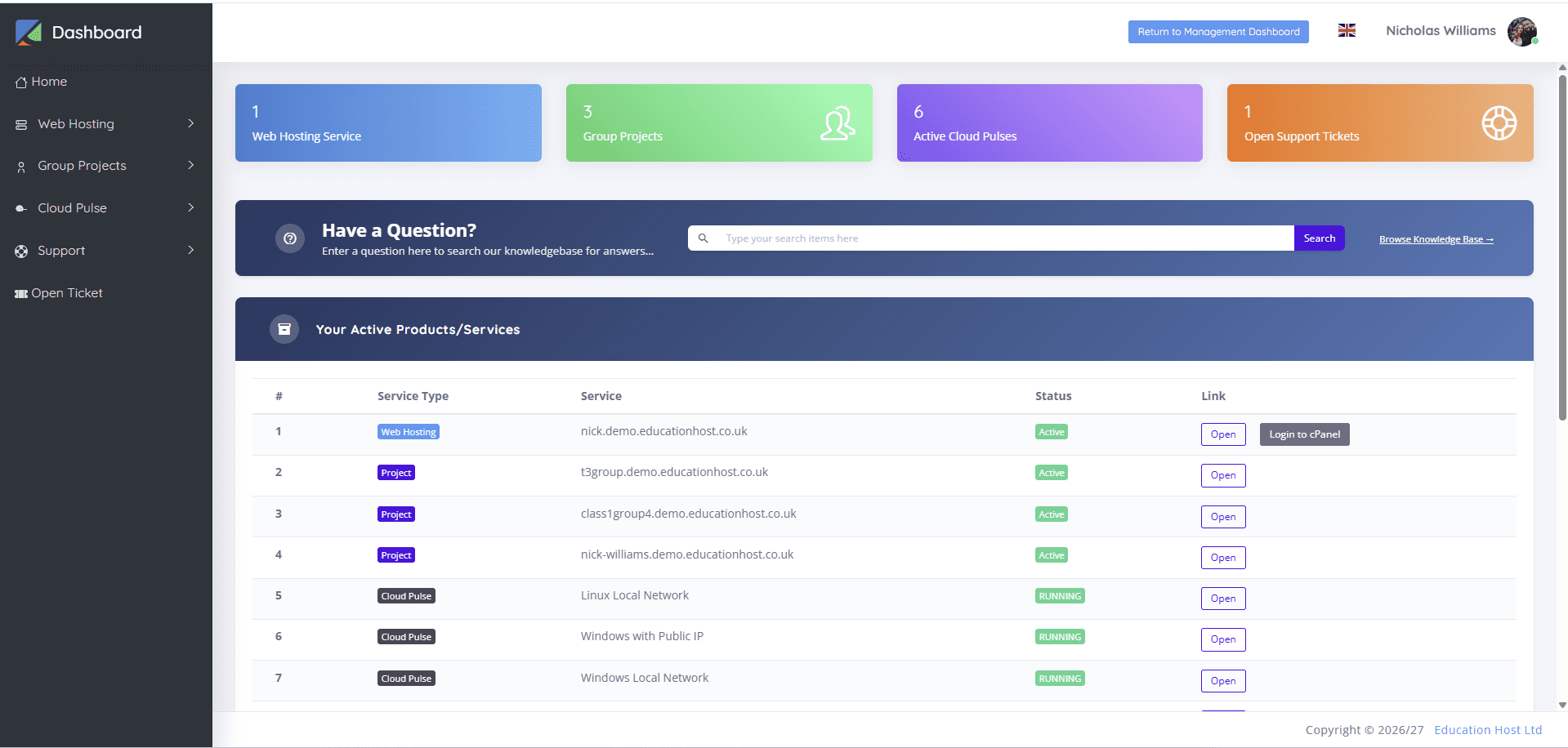
Planning, replacing or rescuing student hosting?
If these guides raise questions specific to your institution — a spreadsheet-run estate, a September that hurts, a retention policy that does not exist yet — we are happy to talk them through honestly, including where your current arrangement is already right.
Every deployment starts with a conversation
Tell us about your cohorts, modules and current hosting arrangements — we will answer the technical and commercial questions honestly, including where what you have is already right.