Windows and Linux virtual labs give university courses server and desktop environments that students reach remotely — through a browser, a remote desktop connection (RDP) or a terminal connection (SSH) — instead of installing operating systems on their own machines. Most course portfolios need both families: Linux for systems administration, development, security and data work; Windows Server for infrastructure, directory services and the Microsoft-centred curriculum. A well-designed lab platform provides both from reusable templates, including mixed environments where one exercise spans the two.
When do university courses need Windows environments?
Courses need Windows environments wherever the curriculum touches the Microsoft estate that most graduates will work in: Windows Server administration, directory services and identity, group policy, infrastructure and virtualisation modules, and any teaching aligned to Microsoft technologies. Security teaching needs Windows too — realistic targets and defensive exercises require the operating system most organisations actually run.
The practical obstacle is that Windows Server cannot reasonably be installed on student laptops: it needs licences, resources and isolation that personal devices cannot offer. That makes Windows the operating system family where virtual labs are least optional — for many modules the choice is a provisioned Windows environment or no practical work at all.
When do university courses need Linux environments?
Linux is the default environment for a large share of practical computing: systems administration and operating systems modules, web and software development stacks, networking, cyber security tooling, containers and DevOps, databases, and data science. It is also the operating system of most of the internet's server estate, which is reason enough for it to be taught hands-on.
Distribution choice matters less than course teams sometimes fear, but the families differ enough to be deliberate about: Debian-family distributions (Debian, Ubuntu) dominate development and teaching materials, while RHEL-family distributions (Red Hat Enterprise Linux, Rocky Linux, AlmaLinux, CentOS Stream) reflect enterprise operations environments. Many portfolios teach on one family and expose students to the other; a lab platform should offer both so the choice is pedagogical rather than forced.
How do mixed operating-system modules work?
Some of the most valuable exercises deliberately span both families — because real estates do. A module might have students administer a Windows Server domain from a Linux management host, monitor mixed infrastructure in a defensive security exercise, or run a Linux web tier against a Windows back office.
Mixed exercises need the lab platform to support multi-machine environments: several machines, of different operating systems, connected on a private network and deployed together as one unit per student or group. Where a platform can only issue single machines, mixed teaching degrades into switching between disconnected environments, which loses the point of the exercise.
How do students access Windows and Linux labs?
Three access routes cover almost all teaching, and the right one depends on the environment and the exercise rather than on preference.
Browser access has become the baseline expectation for teaching because it makes the module device-independent: the student with a ten-year-old laptop, the student on a campus PC and the distance learner all get the same environment. RDP and SSH then serve the exercises that specifically teach those tools.
| Method | Best for | Considerations |
|---|---|---|
| Browser session | Default for teaching — graphical or console access with no client software | Works on locked-down and low-powered devices; nothing to install or configure |
| RDP (remote desktop) | Full Windows desktop experience | Needs a client and connection details; check how the platform routes it — direct exposure of machines is a red flag |
| SSH (terminal) | Command-line Linux work and automation | The professional norm for server administration; browser-based SSH removes client setup for first-years |
Why not just run labs on students' own machines?
Because the module then depends on hardware the university does not control. Local virtual machines need memory and disk that many student laptops lack, are blocked outright on tablets and locked-down devices, and require licences students should not be asked to source. The result is a class where some students cannot run the coursework — an equity problem before it is a technical one.
Even where every laptop copes, every laptop differs. Local installs drift, break and vary across operating systems, so staff spend contact time debugging machines rather than teaching, and no two students see quite the same behaviour. Provisioned environments remove the variable: the university defines the environment, and the student's device only has to display it.
What about admin access and networking?
Operating-system teaching requires students to hold administrative rights — root on Linux, Administrator on Windows — because administration is the syllabus. That is safe only when each student's machine is isolated: their own environment, on a private lab network, where mistakes and experiments affect nobody else. Admin access inside the environment, institutional control around it, is the design principle.
Networking is part of the teaching surface too, not just plumbing. Modules on networking, infrastructure and security need private networks students can work within — and sometimes build — with internet access as a deliberate per-lab decision rather than a default. Remote access should reach environments through a managed gateway rather than exposing student machines directly.
How does licensing work for Windows labs?
At a high level: Windows Server in a virtual lab must be licensed, and how depends on where and how the lab runs — institutional agreements, cloud providers' arrangements and managed platforms handle it differently. Under some delivery models the licensing is carried inside the service; under build-it-yourself models the institution needs to establish its own position.
This guide deliberately stops short of specifics, because licensing terms vary by agreement and change over time. The practical advice is procedural: ask any prospective platform or cloud provider to state plainly how Windows licensing is handled and billed for lab use, and confirm the answer against your institution's Microsoft agreements before committing. Linux distributions used in teaching are generally free to run, though enterprise subscriptions (for example for Red Hat Enterprise Linux) have their own terms worth checking the same way.
How do reusable templates keep OS labs consistent?
A template captures a module's machine — operating system, configuration, tools, sample content — as the single source every student environment is created from. For operating-system teaching this consistency is the pedagogy: an exercise on services, permissions or group policy only works if every student starts from the same state the instructions assume.
Templates also make the semester cycle sustainable. The environment is built and tested once, deployed for the cohort, and redeployed next year unchanged — or updated once, centrally, when the syllabus moves. Multi-machine environment templates extend the same idea to whole exercise networks, so 'the week 9 domain lab' is a deployable object rather than an afternoon of setup.
Read next: Reusable virtual machine templates guide
What do virtual labs mean for accessibility and remote learning?
Virtual labs remove the requirement to be in a specific room at a specific time with a specific machine — which is the difference between practical modules being available or unavailable to distance learners, commuting students, and students whose circumstances keep them off campus. The same environment serves the timetabled session and the 11pm revision run.
They also flatten the hardware gradient: the coursework runs identically for students who cannot afford capable laptops. Browser access matters disproportionately here, because it works from library machines and older devices. The remaining dependency is honest to name — a usable internet connection — and course teams should plan for it, with campus access points as the backstop where home connectivity is poor.
Read next: Remote computer labs for distance learning
What reset and recovery workflows do students need?
Operating-system teaching means students will break their machines — that is evidence of engagement, and the lab should treat it as routine. The essential workflow is reset: return a machine to its template state (or redeploy it) in minutes, by the student or the lecturer, without a support ticket. Fear of irreversible damage makes students timid; a cheap reset makes them experimental.
Alongside reset, staff need visibility and reach: seeing the state of each student's environment during a session, and opening a console into a stuck student's machine to help — including when the student's own mistake has cut off their normal access. Recovery of work matters too: exercises should keep durable outputs (scripts, configs, notes) somewhere that survives a machine reset, a habit worth teaching in itself.
How does Cloud Pulse deliver Windows and Linux labs?
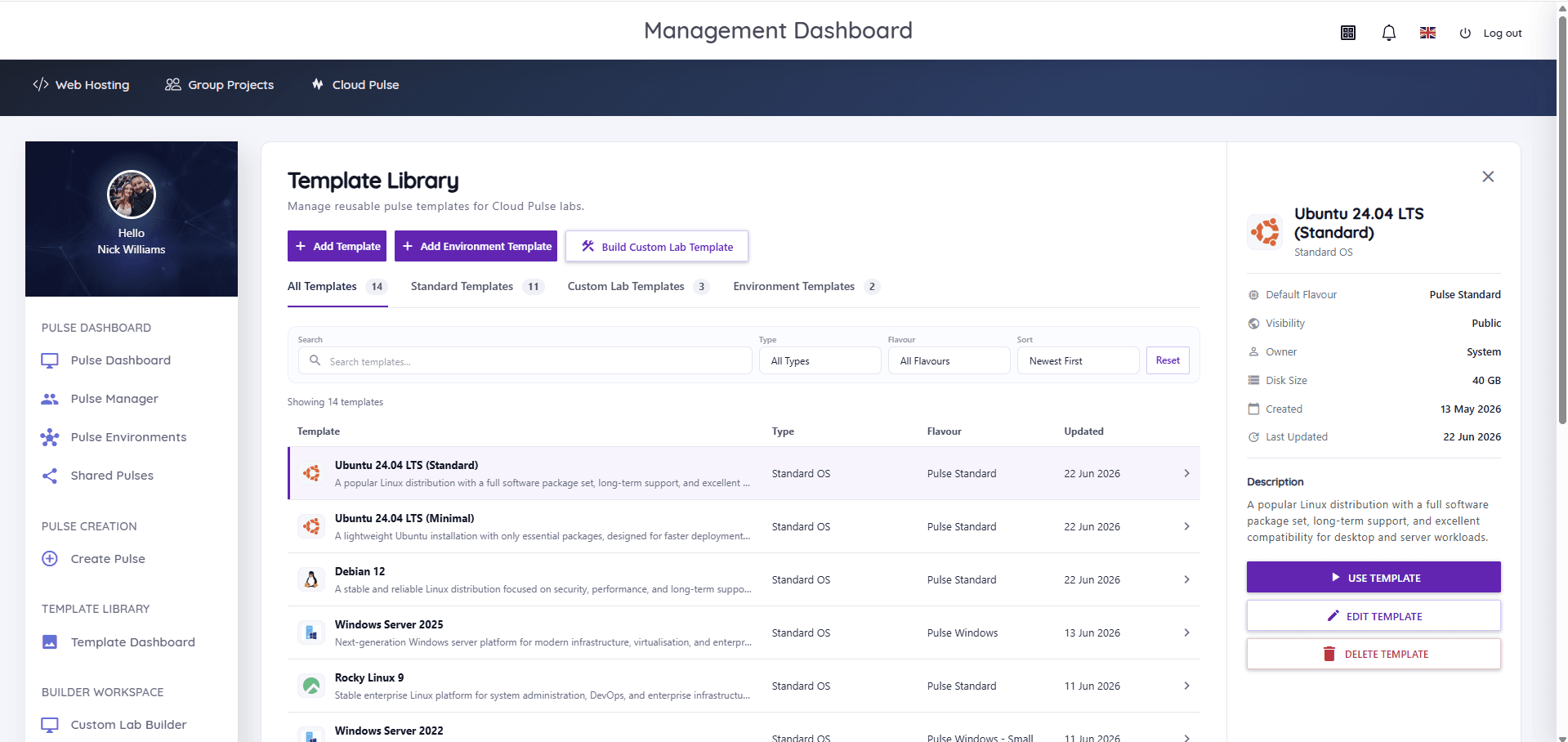
Cloud Pulse, Education Host's browser-based computing lab platform, provides both families as standard templates: Ubuntu, Debian, AlmaLinux, Rocky Linux, openSUSE, CentOS Stream, Red Hat Enterprise Linux and Fedora on the Linux side, Windows Server for the Microsoft curriculum, and Kali Linux for security teaching — plus lecturer-built images and custom environment templates where a module needs its own stack. Students access environments through the browser, with console and Web SSH access; multi-machine environments with private networks handle the mixed-estate exercises described above.
Environments deploy per student, group or cohort from the Template Library, are visible live to staff in Pulse Manager, and reset or redeploy from their template — with Windows licensing handled within the managed service, confirmed during scoping. As with everything in this series, treat that as one implementation of the requirements in this guide, and evaluate it — or any alternative — against your own module portfolio.