A university cloud lab is a teaching computing environment — usually a set of virtual machines or complete multi-machine networks — that runs on cloud infrastructure and is accessed remotely by students, typically through a browser. Instead of maintaining rooms of physical PCs with locally installed software, the university defines each module's environment once as an image or template, provisions copies for every student, and removes them when teaching ends.
What is a university cloud lab?
A university cloud lab is a set of computing environments for teaching — individual virtual machines, desktops or complete multi-machine networks — hosted on cloud infrastructure and accessed remotely by students and staff. The defining feature is not the hosting but the teaching workflow around it: environments are defined per module, provisioned per student or group, and retired when the teaching block ends.
Most cloud lab services are built from the same four parts, whichever platform or cloud provides them.
- Images or templates — the definition of a module's environment: operating system, installed tools, configuration and, in some platforms, whole multi-machine networks
- Provisioning — creating a copy of that environment for each student, group or cohort, on demand or on a schedule
- An access layer — how students reach their environment: a browser session, a remote desktop connection (RDP) or a terminal connection (SSH)
- Controls — identity and sign-in, network isolation, resource limits, schedules and the lifecycle rules that stop environments running (and costing money) forever
Everything else in this guide — costs, security, platform choice — comes down to how well those four parts fit the way your institution actually teaches.
How do cloud labs work?
Cloud labs follow a repeating cycle that mirrors the academic calendar: define the environment, deploy it for a cohort, teach, then reset or remove it. A lecturer or technical team builds the module environment once — the operating system, tools, sample data and configuration a class needs — and saves it as a reusable image or template.
When teaching starts, the platform provisions a copy for each student (or a shared environment for each group) from that template. Students connect remotely, do their practical work, and their environments can be monitored, restarted or reset by staff. At the end of the module the environments are archived or deleted, and the template goes back on the shelf for the next cohort.
The practical benefit is consistency: every student works in an identical, known-good environment, whatever device they own, and the first week of a practical module is spent teaching rather than troubleshooting installations.
How are cloud labs different from physical computer labs?
A physical computer lab is a room of institution-owned PCs with software installed locally; a cloud lab moves the computing into hosted environments that students reach from any device. The physical estate model ties teaching capacity to rooms, hardware refresh cycles and imaging schedules; the cloud model ties it to what you provision, when.
Neither is automatically better. Physical labs still make sense for specialist local hardware, controlled exam conditions and courses where the room itself is part of the teaching. Cloud labs make sense where the pain is software setup, device inconsistency, remote access or the cost of keeping seldom-used specialist rooms current.
| Comparison area | Physical computer labs | Cloud labs |
|---|---|---|
| Capacity | Fixed by rooms and PCs | Provisioned per cohort, scaled as needed |
| Environment changes | Re-imaging schedules, often term-time constrained | Update a template; redeploy in minutes |
| Student access | On campus, during opening hours | Any device, anywhere, within the rules you set |
| Admin rights for students | Usually locked down | Full control inside an isolated environment is possible |
| Cost pattern | Capital: hardware, refresh cycles, space, power | Operational: compute, storage, platform and support |
| Failure mode | A broken PC is a lost seat | A broken environment is reset or reprovisioned |
Read next: How universities can replace physical computer labs
How are cloud labs different from VDI?
Virtual desktop infrastructure (VDI) gives each user a persistent, general-purpose desktop managed like corporate IT; a cloud lab gives each module a purpose-built, often disposable environment shaped by whoever teaches it. The technologies overlap — both are remote virtual environments — but they answer different questions.
VDI answers "how do we give everyone a standard university desktop from any device?". Cloud labs answer "how do we give this module's students an environment with root access, its own network and exactly these tools — and throw it away afterwards?". A locked-down standard desktop is precisely what an operating systems or cyber security module cannot teach on.
Many universities run both: VDI for general access to standard applications, and cloud labs for the practical computing modules that need administrative control, isolation or unusual configurations. Treating one as a substitute for the other is a common source of failed projects.
Read next: Virtual computer labs versus VDI
How are cloud labs different from giving students cloud accounts?
Handing students individual accounts or credits on a public cloud gives them raw infrastructure; a cloud lab adds the teaching management layer that raw infrastructure lacks. With individual accounts, every student builds their own environment — which means every student's environment is different, spending is hard to predict or cap per person, lecturers have no view of anyone's work, and accounts linger after the module ends.
Cloud accounts are the right tool when the learning objective is the cloud platform itself — a cloud computing module teaching students to architect on a public cloud, for example. They are a poor tool for delivering a consistent Linux, Windows Server or AI environment to two hundred students, which is a provisioning and governance problem, not an architecture exercise.
The distinction matters for procurement: replacing a lab service with "we'll just give students Azure or AWS accounts" moves the operational burden onto teaching staff and finance rather than removing it.
Can cloud labs provide both Windows and Linux environments?
Yes — most university cloud lab deployments are mixed, because course portfolios are mixed. Linux distributions cover systems administration, security, development and data science teaching; Windows Server covers infrastructure, directory services and the Microsoft-centred parts of the curriculum; some modules need both in one exercise, such as a Windows domain administered from a Linux management host.
The practical questions are which operating systems a platform provides as ready-made templates, how Windows licensing is handled, and whether mixed multi-machine environments are supported. Our guide to Windows and Linux virtual labs for university courses covers this in detail, including access methods and licensing considerations.
Read next: Windows and Linux virtual labs guide
How do students connect to a cloud lab?
Students connect remotely, and the three common routes are a browser session, a remote desktop connection (RDP) for graphical environments, and a terminal connection (SSH) for command-line work. Browser access has become the default expectation for teaching because it requires no client software, works on locked-down and low-powered devices, and behaves the same in a campus lab, a library or a student's home.
Access method matters more than it first appears. It determines whether a module works for distance-learning students, whether students with older laptops are disadvantaged, and how much support burden lands on IT at the start of term. Platforms differ in whether browser access is native or bolted on, and in whether remote access flows through a managed gateway or exposes each environment directly.
Read next: Remote computer labs for distance learning
Can lecturers create reusable environments?
On teaching-focused platforms, yes: a lecturer builds the module environment once, saves it as a template or image, and redeploys it for every future cohort. This is one of the clearest dividing lines between platforms built for education and general-purpose infrastructure, where creating images is an operations task that ends up queued behind other IT work.
Reusable templates change the economics of practical teaching. The cost of building a good environment is paid once, not every semester; module handovers between staff become "here is the template" rather than a folder of setup notes; and the environment students get in week one is the environment that was tested, not a fresh manual build.
Where the lecturer sits in that workflow varies by platform. Some keep image-building an administrator task; others — Education Host's Cloud Pulse among them — are deliberately lecturer-led, with a template library and lecturer-built images so teaching staff can shape environments without waiting on infrastructure work.
Read next: Reusable virtual machine templates guide
How are access, security and costs controlled?
Control in a cloud lab comes from four mechanisms: identity, isolation, lifecycle and limits. Identity ties access to institutional accounts — ideally through single sign-on with the university's existing identity provider, such as Microsoft Entra ID — so access ends when enrolment ends.
Isolation keeps teaching environments away from institutional systems and from each other: separate networks per lab, internet access disabled unless a module needs it, and remote access through a managed gateway rather than environments exposed directly. Isolation is what makes security teaching safe and mistakes recoverable.
Lifecycle and limits control cost. Environments that exist only while a module runs, schedules that stop idle machines, and per-student resource sizing are the difference between a predictable teaching cost and an unbounded cloud bill. Our guides to cyber security labs and university cloud lab costs cover both areas in depth.
Read next: Cloud lab security and governanceHow to control student cloud-computing costs
What subjects and modules can use cloud labs?
Any module with a practical computing component can use a cloud lab, and the strongest cases are the modules that are hardest to run on student devices or locked-down campus PCs.
- Operating systems and Linux administration — root access to real servers, safely disposable when an exercise goes wrong
- Windows Server and infrastructure — directory services, group policy and server roles without physical servers per student
- Cyber security — isolated attack-and-defend networks with vulnerable targets that must never sit on a campus network
- Networking — multi-machine topologies students can build, break and rebuild (see the networking modules guide)
- Cloud computing and DevOps — consistent Linux environments for containers, automation and infrastructure-as-code practice
- Databases — a database server per student or group, reset between assessments
- Software development and web development — full toolchains, including WordPress and LAMP-style stacks, identical for every student
- Python, data science and AI — notebook and Python environments, including local large language model (LLM) labs, without wrestling with each laptop's setup
- Temporary project environments — final-year projects, hackathons, summer schools and research trials that need machines for weeks, not years
- Distance and hybrid learning — the same practical environment for students who never set foot in a campus lab
The common thread is control: the module needs students to have more power inside the environment (root access, servers, networks) while the institution keeps more control around it (isolation, identity, lifecycle). The networking, database and software-development modules each have a dedicated guide in this series.
Read next: Cloud labs for software-development coursesCloud labs for database modules
What infrastructure options are available?
Universities deliver cloud labs in four broad ways, and the honest answer is that each has a sensible use case.
- Build directly in public cloud — assemble labs from raw services in Azure, AWS or Google Cloud. Maximum flexibility; the institution owns all engineering, cost management and support
- A managed lab platform on public cloud — a vendor's teaching layer running in the institution's or vendor's cloud tenancy. Less engineering; cloud consumption costs still need managing
- A managed platform on provider-operated infrastructure — the vendor runs both the teaching platform and the infrastructure underneath it, sold as a service. Predictable ownership; less low-level control. Education Host's Cloud Pulse takes this approach, on UK data-centre infrastructure
- Private cloud or on-premises — OpenStack or a virtualisation estate the university already operates. Good where capacity and skills exist; capacity planning and hardware lifecycle stay in-house
The choice is less about technology than about which team you want owning the operational work at 9am on the first day of teaching. That question — managed versus self-managed — has its own guide in this series, comparing a managed platform with building directly in Azure component by component.
Read next: Managed cloud labs versus building directly in Azure
What should universities evaluate before choosing a platform?
Evaluate against how your institution teaches, not against feature lists. A platform that demos well on a single machine can still fail on cohort provisioning, semester reset or the support model. These are the criteria that separate deployments that stick from pilots that quietly end.
- Teaching workflow — can a lecturer (not just an administrator) create, deploy and reuse a module environment?
- Operating system coverage — the Linux distributions and Windows Server versions your portfolio actually needs
- Multi-machine environments — can one exercise include several connected machines on a private network?
- Isolation — private networks per lab, internet access off by default where appropriate, gateway-managed remote access
- Identity — single sign-on with your identity provider, so access follows enrolment
- Student experience — browser access, device independence, and what happens on a poor connection
- Lifecycle and scheduling — provisioning per cohort, idle controls, end-of-module archival
- Cost model — what is metered, what is fixed, and whether a module's cost can be predicted before it runs
- Support and ownership — who answers the 9am ticket: your team or the provider, and with what education-sector understanding
- Data location and governance — where environments run and how that fits institutional policy
- Exit and migration — how templates, images and data leave the platform if you change course
- Pilot support — whether you can prove all of the above on one real module before committing
How should a university run a cloud lab pilot?
Run the pilot on a real module with real students, for a whole teaching block — a sandbox demo with three staff accounts proves almost nothing. A good pilot is small in scope but real in conditions.
- Pick one or two modules with a genuine environment problem — a security lab, an operating systems module, an AI module drowning in setup issues
- Agree success criteria before starting: setup time in week one, support tickets, student access from off campus, lecturer hours spent on environment work
- Involve all three constituencies — the lecturer who teaches it, the IT team who would own it, and the students who use it
- Run for a full teaching block, including an assessment period, so deadline-time behaviour is observed
- Test the boring parts deliberately: cohort provisioning day, a template update mid-module, end-of-module teardown
- Compare costs honestly against what the module costs to deliver today, including staff time — not just against zero
Education Host runs structured pilots on these lines — see the pilot programme page for how that works in practice. The same structure applies whichever platform you evaluate, and our dedicated pilot guide expands each of these steps into a full planning sequence.
Read next: How to run a university cloud lab pilot
How can universities measure whether a cloud lab deployment is successful?
Measure against the problems you deployed it to solve, in terms teaching staff and finance both recognise. Adoption numbers alone flatter any platform; the useful measures are comparative.
- Time to productive work — how far into week one before every student is working in the environment, versus the local-install baseline
- Support load — environment-related tickets and in-class troubleshooting time, per module
- Access equity — whether students on old laptops, locked-down devices or off campus complete practicals at the same rate
- Lecturer time — hours spent building, fixing and resetting environments per semester
- Assessment continuity — whether environments stayed available and consistent through submission and marking windows
- Cost per module delivered — including staff time, compared with the physical estate or previous approach, term on term
Where a platform provides usage data, use it to inform these measures rather than replace them — a running environment is not the same thing as a student learning in it.
Where does Cloud Pulse fit?
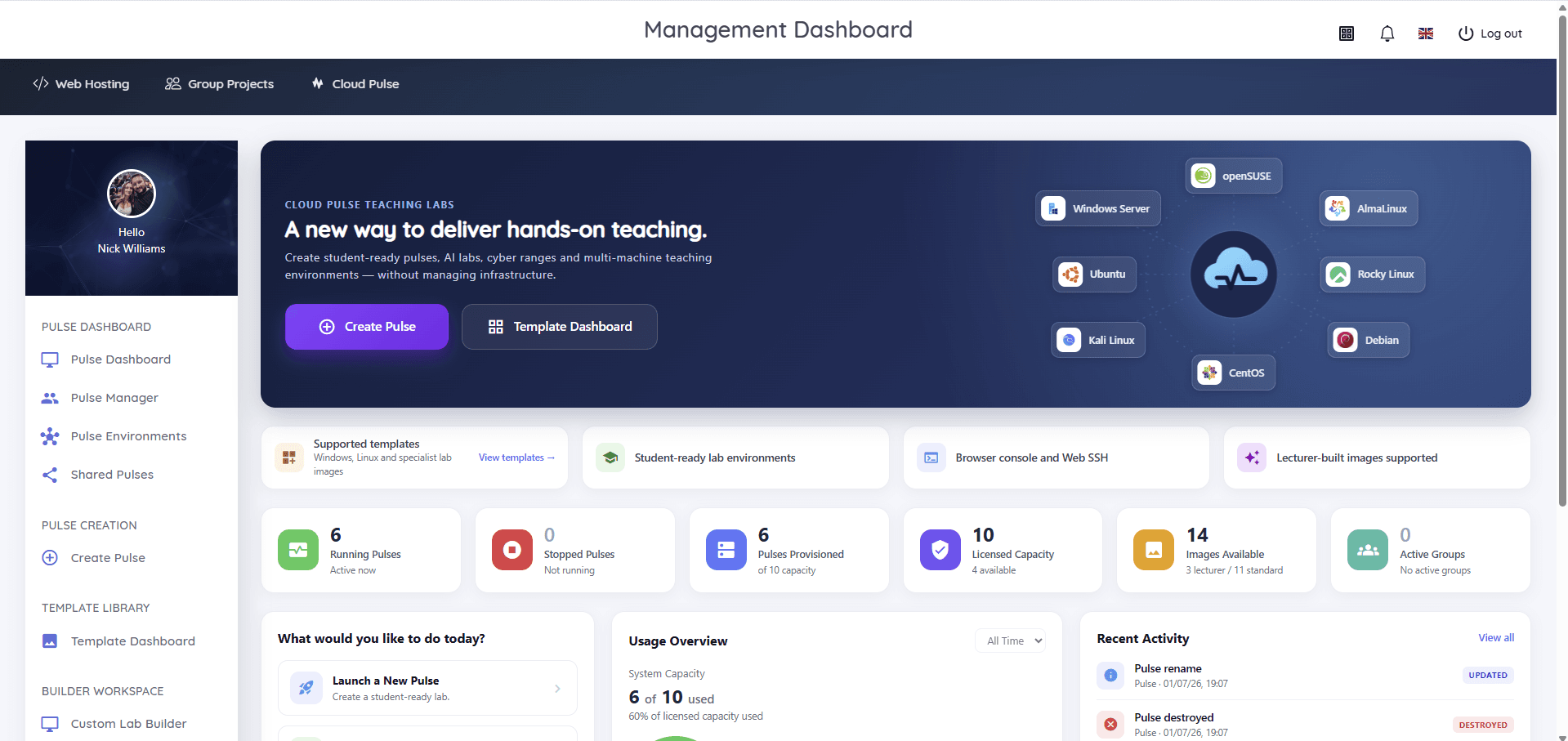
Cloud Pulse is Education Host's browser-based computing lab platform for universities and colleges — one implementation of the ideas in this guide, built around lecturer-led teaching. Lecturers create student-ready environments from reusable templates, design multi-machine labs on a visual canvas with private networks, and see every student environment live from one dashboard, with browser console and Web SSH access for support. It runs as a managed service, with Education Host operating the infrastructure underneath.
It is not the only way to deliver cloud labs — the infrastructure options above are all legitimate — but if the lecturer-led, managed-service approach fits how your institution wants to teach, the Cloud Pulse platform page shows the actual product, and a pilot can test it on one of your own modules.