
Use case — Digital Business & Marketing
WordPress for teaching, coursework and student sites
WordPress powers a huge share of the real web, which makes it a serious teaching tool for CMS concepts, digital publishing, marketing and client-project modules. Education Host hosts WordPress for education, with one-click installs where enabled and governance where cohorts need it.
- WordPress for CMS teaching, blogs, portfolios and campaign sites
- One-click installs on student hosting, where enabled
- Industry-relevant skills on the world's most-used CMS
- Cohort provisioning and lifecycle controls through Student Web Host Manager
- Managed hosting and audits for institution-run WordPress sites
A use case supported by Education Host — platforms, hosting and infrastructure built exclusively for education.
The challenge: WordPress teaching without hosting sprawl
Asking students to self-host WordPress creates a scatter of personal accounts, abandoned sites and support requests no department wants to own.
Self-hosting is a barrier
Free-tier sign-ups, personal card details and unmanaged installs put the admin burden on students before the teaching starts.
Unmanaged installs become liabilities
Forgotten student WordPress sites with stale plugins are a security and reputation risk on the open web.
No cohort-level view
When every student hosts differently, lecturers cannot see who has a working site, and IT cannot see what exists at all.
How Education Host supports WordPress teaching
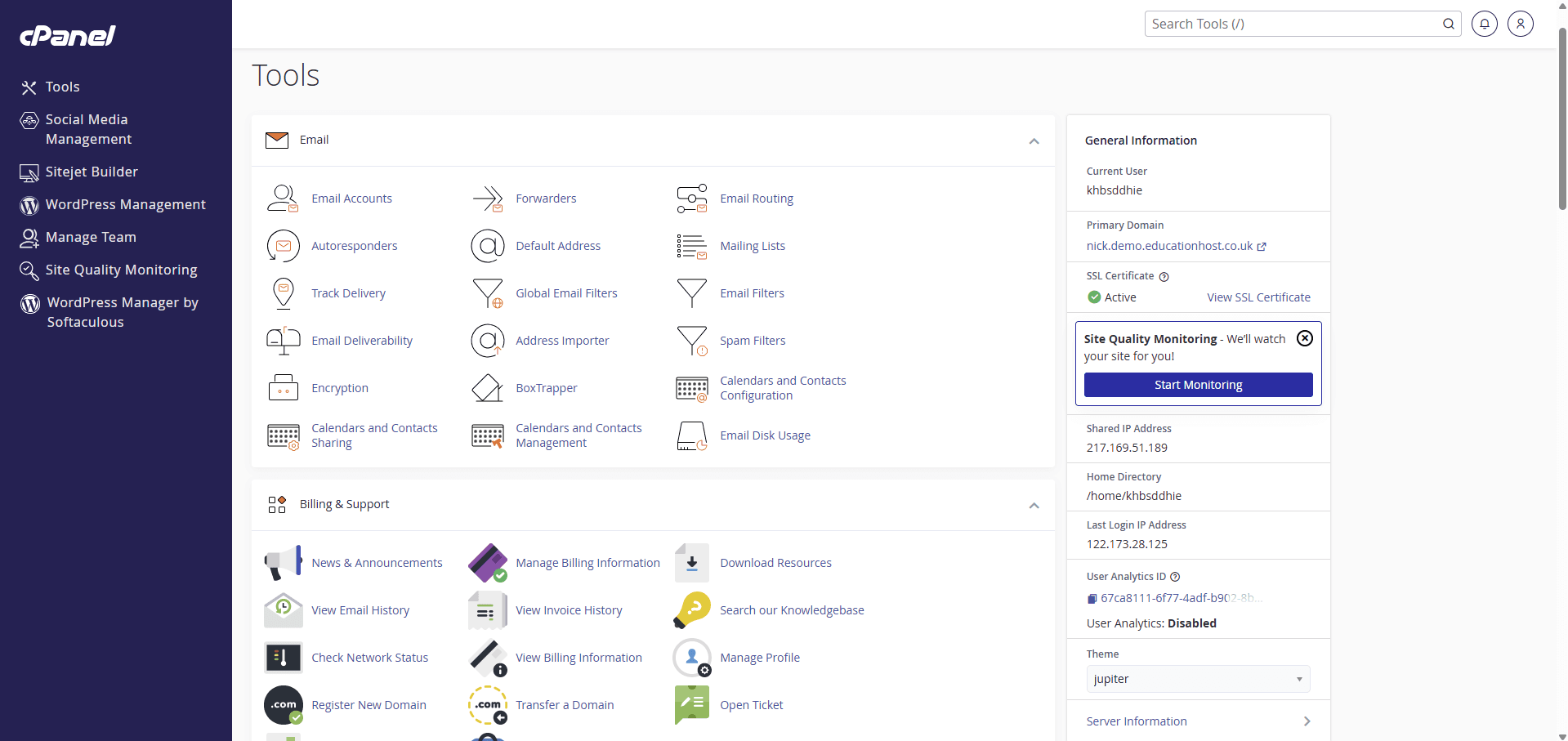
Education Host hosts WordPress for education institutions. Student sites are installed in one click where enabled, running on managed UK hosting with SSL on institution-branded student subdomains, so every student starts from the same clean install.
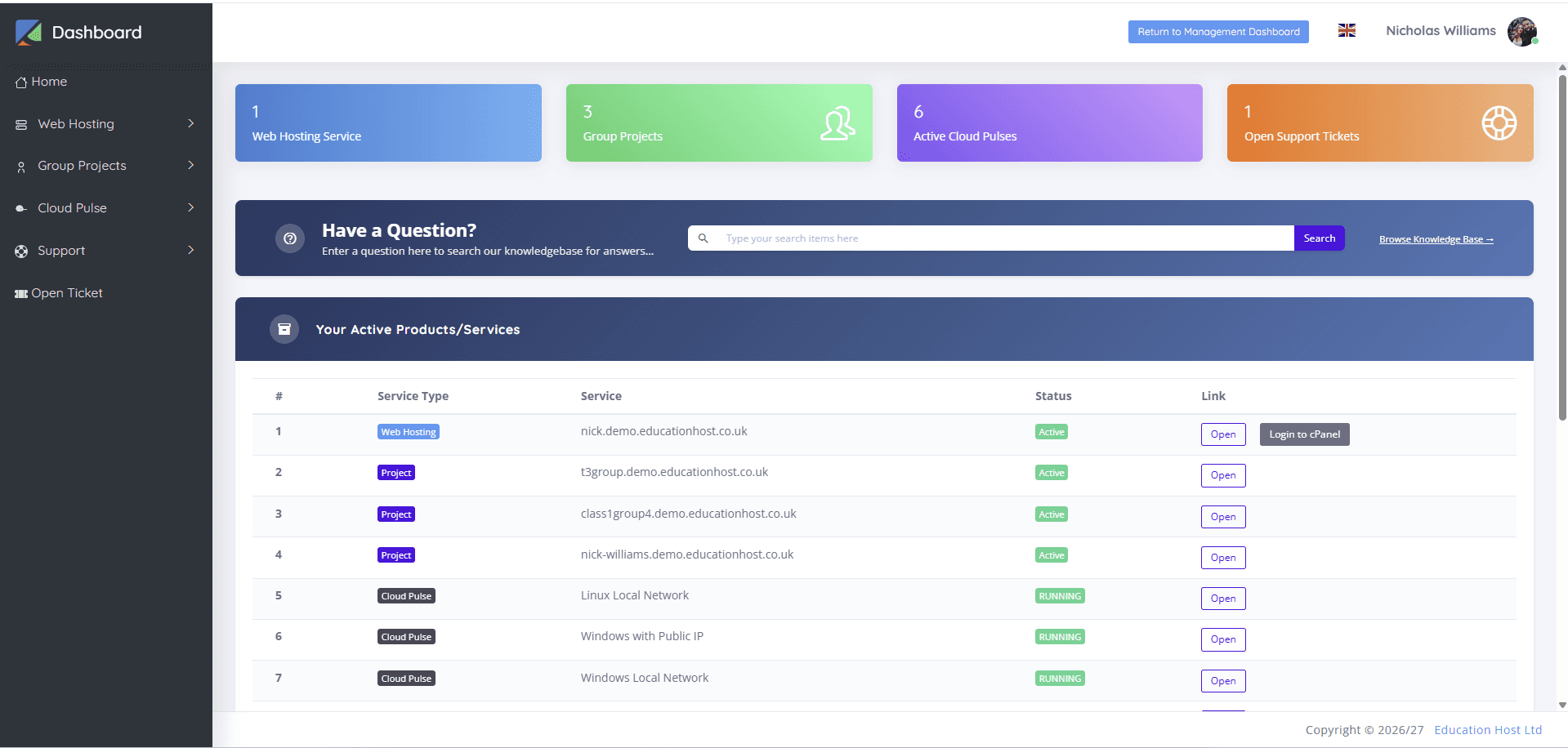
Student Web Host Manager adds the governance layer for cohorts: provisioning, Microsoft Entra sign-in, lecturer visibility and suspension aligned to module dates. For institution-run WordPress sites (course sites, project sites, departmental publishing), Education Host provides managed WordPress hosting and WordPress website audits.
- WordPress through one-click installs on student hosting, where enabled
- Consistent clean installs across the whole cohort
- SSL on institution-branded student subdomains
- Cohort provisioning and lifecycle controls via Student Web Host Manager
- Managed WordPress hosting for institutional and course sites
- WordPress website audits for existing institutional sites
What students and staff can do
From first login to a published site, without hosting admin.
- Install WordPress in one click and publish from day one, where enabled
- Learn themes, plugins, content modelling and editorial workflows
- Run blogs, reflective journals and portfolios as coursework
- Build campaign and client-project sites on a real CMS
- Staff run course and project sites on managed WordPress hosting
- Lecturers see every student site from the management dashboard
Example teaching activities
Module work WordPress hosting handles well.
CMS fundamentals module
Students set up WordPress, structure content types and evaluate themes and plugins critically.
Portfolio site
A personal portfolio built and maintained across the year, doubling as an employability asset.
Client-project simulation
Teams build a site against a realistic client brief: scoping, content, build and handover documentation.
Digital publishing exercise
An editorial site with categories, contributors and a publishing calendar, run like a small newsroom.
Which Education Host platforms fit this use case
WordPress teaching combines WordPress hosting, student hosting governance and site audits where needed.
WordPress Hosting
WordPress for teaching, coursework and student sites
The core solution: WordPress for teaching, coursework, student sites and institutional projects on managed education hosting.
Explore WordPress HostingEducation Web Hosting
Managed web hosting built for education
The underlying student hosting platform with one-click installs and SSL, where enabled.
Explore Education Web HostingStudent Web Host Manager
Governed student web hosting at institutional scale
Cohort provisioning, Microsoft Entra sign-in, lecturer visibility and lifecycle controls for student WordPress sites.
Explore Student Web Host ManagerWordPress Website Audits
Health checks for WordPress sites and hosting
Health checks for existing institutional WordPress sites, covering performance, updates, backups and hosting fit.
Explore WordPress Website AuditsTeaching outcomes
- Students learn the CMS they are most likely to meet in employment
- Every site starts from a clean, institutionally hosted install
- Portfolios and campaign sites double as employability evidence
- No orphaned student WordPress installs on the open web
- One partner covers student sites, course sites and audits
Explore related use cases
Scenarios institutions often pair with this one.
Digital marketing modules
Live landing pages, WordPress sites and SEO coursework on real URLs, so digital marketing is taught on the web rather than in mockups.
Explore use caseStudent portfolio hosting
Portfolio sites for coursework and employability across creative, marketing and computing courses, hosted by the institution instead of scattered across free tiers.
Explore use caseCreative & media courses
Portfolio and showcase hosting for creative courses, with media projects and student work published on institution-branded sites.
Explore use caseSoftaculous & one-click apps
WordPress and hundreds of other applications installed in one click where enabled, for CMS teaching and app experimentation without setup time.
Explore use caseWhat does a WordPress teaching rollout look like from setup to marking?
This is an illustrative module workflow, not a customer case study or a fixed delivery package. A lecturer asks students to build a small WordPress site, explain their design choices and submit a working URL with supporting evidence. The institution decides whether separate installations or a managed network fits the learning outcomes and permission requirements.
Confirm WordPress availability, themes/plugins and hosting configuration before the module. Student Web Host Manager can provide the governance layer where selected and configured; it does not replace the academic team's decisions about assessment, permitted content or retention.
| Stage | Prepare and demonstrate | Evidence owner |
|---|---|---|
| Define the exercise | List required editing, theme/plugin and publishing tasks; distinguish individual and group work; specify submission evidence | Module lead with technical owner |
| Choose the account model | Compare installation freedom, common administration, identity, lecturer access and per-site recovery using a representative site | Institutional hosting/identity owner and lecturer |
| Pilot before teaching | Create permitted test accounts; complete the exercise from intended devices; test a restricted role and failed/changed requirement | Lecturer and technical test owner |
| Launch the cohort | Reconcile account/site allocation, student access and a late joiner; explain publishing and support boundaries | Cohort administrator and module lead |
| Assess the work | Verify the agreed URL and supporting evidence; record the appropriate marking view and the handling of later changes | Module/assessment owner |
| Retain and close | Agree resit/appeal exceptions, required exports, access restriction, archive/deletion and review dates | Academic and records owners with IT |
Which plugin and permission decisions matter for coursework?
Teaching students to install or develop plugins is a different requirement from teaching them to edit content with an approved set. State the actual task before choosing the account model. Multisite uses shared administration; required plugins, themes and administrator roles need checking in the proposed network. Separate installations also need an explicit maintenance and recovery owner.
Test the student and lecturer roles separately. An institutional sign-in method does not by itself prove that WordPress permissions, provisioning and lecturer access are correct. Where analytics or other external tools are part of the exercise, the institution configures them and decides the appropriate consent/data handling.
- Can the intended student role complete every assessed task without unnecessary administrator rights?
- Who approves licences, plugin updates and any exception to the standard configuration?
- Can the lecturer reach the intended work without gaining wider unrelated access?
- What happens if a plugin is unsuitable, a student joins late or a site needs restoring?
How should assessment, recovery and end-of-module access be agreed?
Agree what counts as submitted work before the deadline: a URL, export or other evidence, the capture time and any approved marking arrangement. A live website can change after submission, so the academic team needs a clear policy for what is assessed and how later changes or outages are handled. This page does not imply a built-in immutable submission or automatic assessment freeze.
Plan a representative recovery with authorised test data. Record what is restored, any effect on later work and how existing access/retention decisions apply. Keep resit, appeal and approved portfolio needs visible in the closure plan; suspension, archive and deletion serve different purposes and need institution-approved dates.
- Name the person who authorises a restore, access exception or delayed closure.
- Check that required evidence remains accessible for the agreed marking and review period.
- Confirm the export format, dependencies and handling of live, archive and backup copies.
- Record the final decision and the owner of any material retained after the module.
Prepare a WordPress requirements brief
Compare the control, recovery and lifecycle questions behind your WordPress project. The free planner creates a tailored checklist and editable brief without registration; it is a planning aid, not a site scan or compatibility verdict.
Build your WordPress readiness planWordPress for teaching — frequently asked questions
Direct answers about this use case and the Education Host platforms behind it.
Can WordPress be used for teaching?
Yes. WordPress suits CMS fundamentals, digital publishing, marketing and client-project modules. Students learn content modelling, themes, plugins and editorial workflows on the platform that powers much of the real web.
How does Education Host support WordPress for teaching?
Education Host provides WordPress through one-click installs on managed student hosting where enabled, with SSL on institution-branded subdomains, plus Student Web Host Manager governance for cohorts and managed WordPress hosting for institutional sites.
Do students need to self-host or pay for WordPress?
No. Students use institution-provided hosting with WordPress available through one-click installs where enabled. There are no personal accounts, card details or self-hosting.
Which Education Host platform is best for WordPress teaching?
WordPress Hosting delivered through Education Web Hosting covers the sites themselves; Student Web Host Manager is the right addition for cohort provisioning, visibility and lifecycle control.
Can this support assessment periods?
Yes. Student WordPress sites follow the same lifecycle controls as other student hosting, with suspension and archival aligned to module dates and marking windows through Student Web Host Manager.
Can Education Host look after our existing WordPress sites too?
Yes. Education Host offers managed WordPress hosting for institutional sites and WordPress website audits that review performance, updates, backups and hosting fit.
How do we start?
Talk to Education Host about your module or site. We'll scope cohort sizes, install model and governance needs, and confirm the right WordPress setup.
See how this use case fits your institution
Tell us about your modules, cohorts and calendar, and we'll map this use case to the right Education Host platforms — including what to leave out.