An AI development environment for university teaching is a prepared computing environment — usually Python with notebook tooling, the module's libraries and, increasingly, a local large language model (LLM) — provisioned identically for every student. It exists to solve the two problems that dominate AI modules in practice: dependency chaos across student laptops, and keeping control of where data and costs go when students work with AI models. It is a development environment for building AI systems, which makes it complementary to, not a replacement for, productivity assistants such as Microsoft Copilot.
What does an AI teaching environment need to provide?
At minimum: a working Python installation, notebook tooling such as Jupyter, the exact libraries the module teaches, and enough compute and memory for the exercises — identical for every student from the first session. Beyond that baseline, modern AI modules increasingly add a local LLM, vector-database tooling for retrieval work, and a lightweight way for students to turn models into small applications.
The word doing the work in that sentence is identical. AI tooling is unusually sensitive to version drift — a library upgrade can change APIs, outputs or hardware requirements mid-semester — so the environment needs to be pinned, tested once, and then reproduced exactly for the whole cohort.
Why is environment consistency the hard problem in AI teaching?
Because the AI stack is deep and fast-moving, and every student device slices it differently. Python versions, package managers, library conflicts, operating system differences and hardware variation mean that 'install these packages' produces a different result on every laptop in the room — and the lecturer spends the first fortnight as unpaid technical support.
The problem compounds through a module. An exercise that worked in week two breaks in week eight after a routine library release; students who reinstalled mid-term drift from those who did not; and by assessment time, staff are debugging environments instead of marking understanding.
Provisioned environments dissolve the problem rather than managing it: the module's stack is defined once, frozen as an image, and every student works inside the same tested copy for the whole teaching block.
What kinds of AI work do university modules cover?
AI teaching spans several distinct shapes of work, and it helps to name them because their infrastructure needs differ.
- Notebook and classical machine learning work — Python, Jupyter and standard data-science libraries; modest compute, heavy on consistency
- API-based AI development — students call hosted models over the internet; light compute locally, but keys, quotas and data flows need governing
- Local LLM work — running open models inside the environment itself, so students see how the systems actually behave without per-call costs
- Retrieval-augmented generation (RAG) and embeddings — combining models with vector search over documents; adds vector stores and pipelines to the stack
- Lightweight application work — wrapping a model in a small interface with tools such as Streamlit, so projects become demonstrable systems
A single module often moves through several of these in one semester, which is another argument for a prepared environment: the whole journey is staged in the image, rather than re-installed at each step.
Can universities teach with local LLMs?
Yes — smaller open-weight models now run acceptably on CPU with modest memory, which has made local LLM teaching practical without specialist hardware. Students can load a model, inspect its behaviour, build prompts and pipelines around it, and connect it to retrieval systems, all inside their own environment.
Local models suit teaching for reasons beyond cost. Nothing students submit to the model leaves the environment, which simplifies data governance; there are no per-call charges to cap; behaviour is stable for the whole cohort rather than shifting when a hosted service updates; and students learn what these systems actually are — software with weights, memory footprints and latency — rather than a magic endpoint.
The honest trade-off is capability: small local models are far less able than frontier hosted models, and slower per response. Good module design uses each for what it teaches — local models for mechanics, internals and pipeline work; API-based access where the learning objective needs stronger model output.
Do AI teaching environments need GPUs?
Less often than assumed. Classical machine learning, notebook work, embeddings at teaching scale, API-based development and inference on smaller local models all run on CPU — which covers a large share of what undergraduate AI modules actually do. Treating 'AI teaching' as automatically 'GPU procurement' inflates costs before requirements are known.
GPUs earn their cost where modules genuinely train or fine-tune substantial models, run larger local models interactively, or teach GPU computing itself. The practical approach is to scope the module portfolio first: provision CPU-based environments as the default teaching layer, and treat GPU capacity — whether institutional hardware or cloud — as a separately scoped decision for the specific modules that justify it.
How do reusable teaching images help AI modules?
A reusable image turns the hardest part of an AI module — a working, version-pinned stack — into an asset that outlives the semester. The environment is built and tested once, with the module's Python packages, notebook tooling, datasets and, where used, the local model already in place; every student then receives an identical copy, and the same image redeploys for next year's cohort.
The teaching benefits are immediate: week one starts with the subject rather than installations, every notebook runs the same way for every student, and mid-module drift disappears because nobody is upgrading anything individually. The operational benefits accumulate: module handovers become 'here is the image', and a deliberate annual review replaces continuous firefighting as the way the stack evolves.
Read next: Reusable virtual machine templates guide
What data governance questions does AI teaching raise?
The central question is simple to ask and worth asking early: when a student submits something to a model, where does it go? The answer differs sharply by mode of work. With hosted, API-based models, prompts and data leave the institution for a third-party service, so modules need clarity about which services are approved, what may be sent to them, and whose terms govern the traffic. With local models, prompts and data stay inside the teaching environment, which is one reason local LLM work has become attractive for coursework involving anything sensitive.
Teaching environments also give governance a place to live. Institution-provided environments mean approved tools, keys and boundaries are baked into the image students actually use — rather than policy documents hoping to govern whatever each student installed at home. Environments tied to enrolment and torn down after the module also keep data from accumulating in forgotten places.
None of this replaces institutional AI policy; it gives that policy an enforcement point. Universities working through their wider position on AI tools — including productivity assistants — will find teaching labs the easy case: the boundary is the environment.
How are AI teaching costs controlled?
AI module costs come from three places — compute, model usage and staff time — and each has a control. Compute is controlled the same way as any cloud lab: right-sized environments that exist only while the module runs, stopped when idle. Temporary environments matter more for AI than most subjects because the machines are often larger; an idle oversized environment left running all summer is the classic failure.
Model usage costs apply to API-based work: hosted models charge per call, and a cohort of enthusiastic students can spend quickly. Controls are institutional keys with per-student or per-module quotas rather than students' own accounts — or removing the meter entirely by using local models where the teaching allows.
Staff time is the hidden line. Every hour a lecturer spends fixing environments is an uncosted subsidy to the wrong design; prepared images move that cost from every-student-every-week to once-per-module. Our university cloud lab costs guide covers the full cost model.
How do AI teaching labs differ from tools like Microsoft Copilot?
They answer different questions. Microsoft Copilot and similar assistants are productivity tools: they help staff and students use AI in everyday work across documents, mail and code. An AI teaching lab is a development environment: it is where students build, dissect and evaluate AI systems as the subject of study. One is AI as a tool; the other is AI as the curriculum.
The two are complementary, and most universities will run both. An institution's Copilot deployment is governed through its Microsoft 365 estate; its AI teaching labs are governed through the teaching platform, module by module, with the data boundaries discussed above. Neither substitutes for the other: no productivity assistant teaches a student to build a retrieval pipeline, and no teaching lab drafts the committee minutes.
| Comparison area | AI teaching lab | Productivity assistant (e.g. Copilot) |
|---|---|---|
| Purpose | Students build and study AI systems | Staff and students work faster with AI |
| Where it lives | Module-specific teaching environments | Across the productivity estate |
| Governed by | Teaching platform, per module | Microsoft 365 / institutional tenancy |
| Data boundary | The lab environment | The productivity suite's terms and controls |
| Typical output | Models, pipelines, applications, understanding | Documents, summaries, drafts, code assistance |
How does Cloud Pulse support AI teaching?
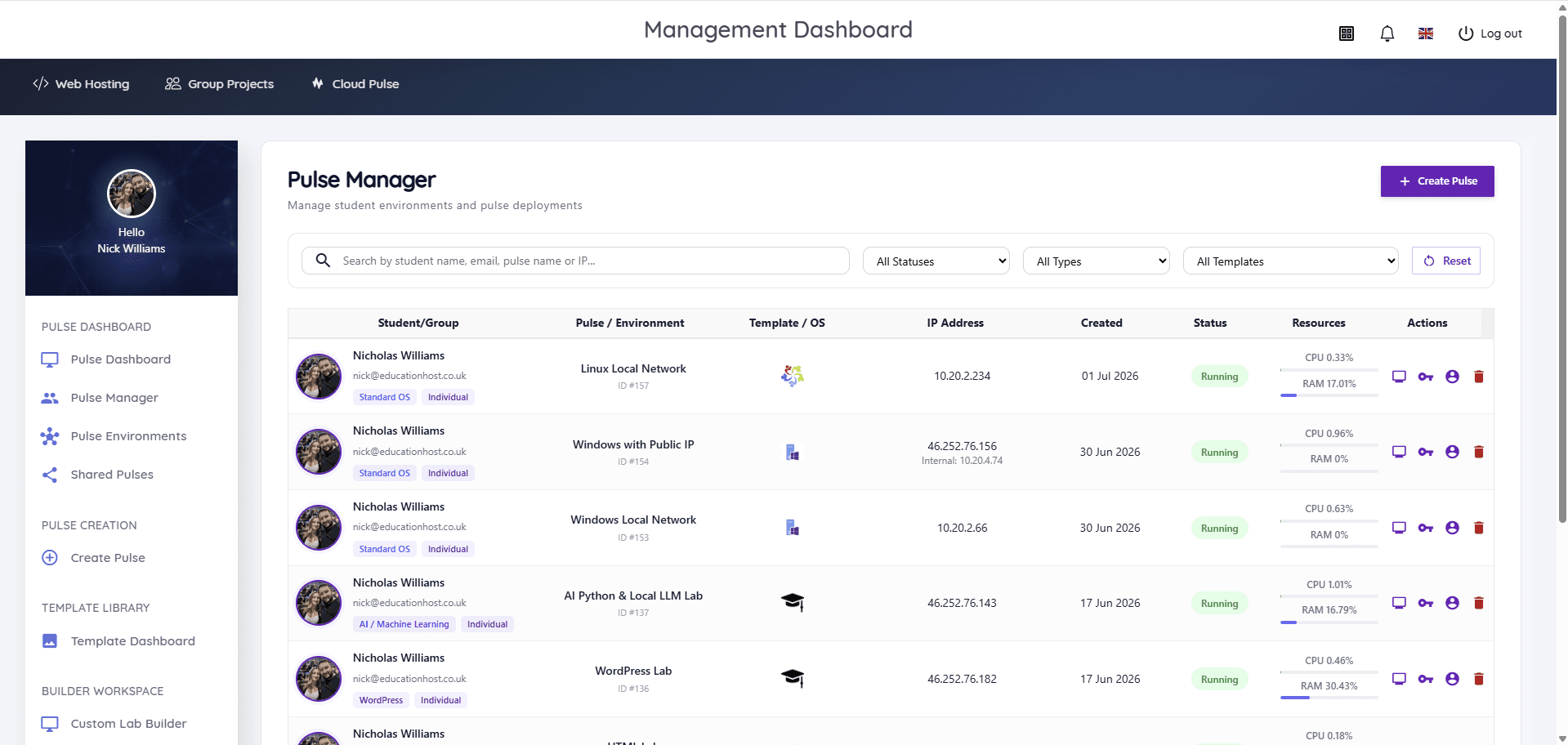
Cloud Pulse, Education Host's browser-based computing lab platform, runs AI and Python teaching labs as prepared environments: Python and Jupyter stacks, and local LLM lab environments, delivered as reusable templates that lecturers can shape with module-specific images. Students open their environment in a browser — any device, the same stack — and staff see every environment live, with console access to help. Environments are deployed for the teaching block and removed afterwards, which keeps both costs and data governance tidy.
As throughout this series: Cloud Pulse is one way to run AI teaching environments, not the only one. If your modules are losing weeks to environment problems, the requirements in this guide are the specification to evaluate anything against — and the Cloud Pulse platform page shows how Education Host meets them.