Group web projects belong in a dedicated group hosting account — owned by the module, worked in by the team's members, and separate from every member's individual account — rather than in one student's personal hosting with shared passwords. The group account gives the team one site, one database and one URL to build together; membership (not credential-sharing) controls who can work on it; the module retains ownership so a falling-out or a departure never strands the coursework; and the assessed submission is preserved as an artefact independent of the live site. This guide covers the ownership, permission, credential and preservation decisions that make group hosting work.
How should access and permissions work?
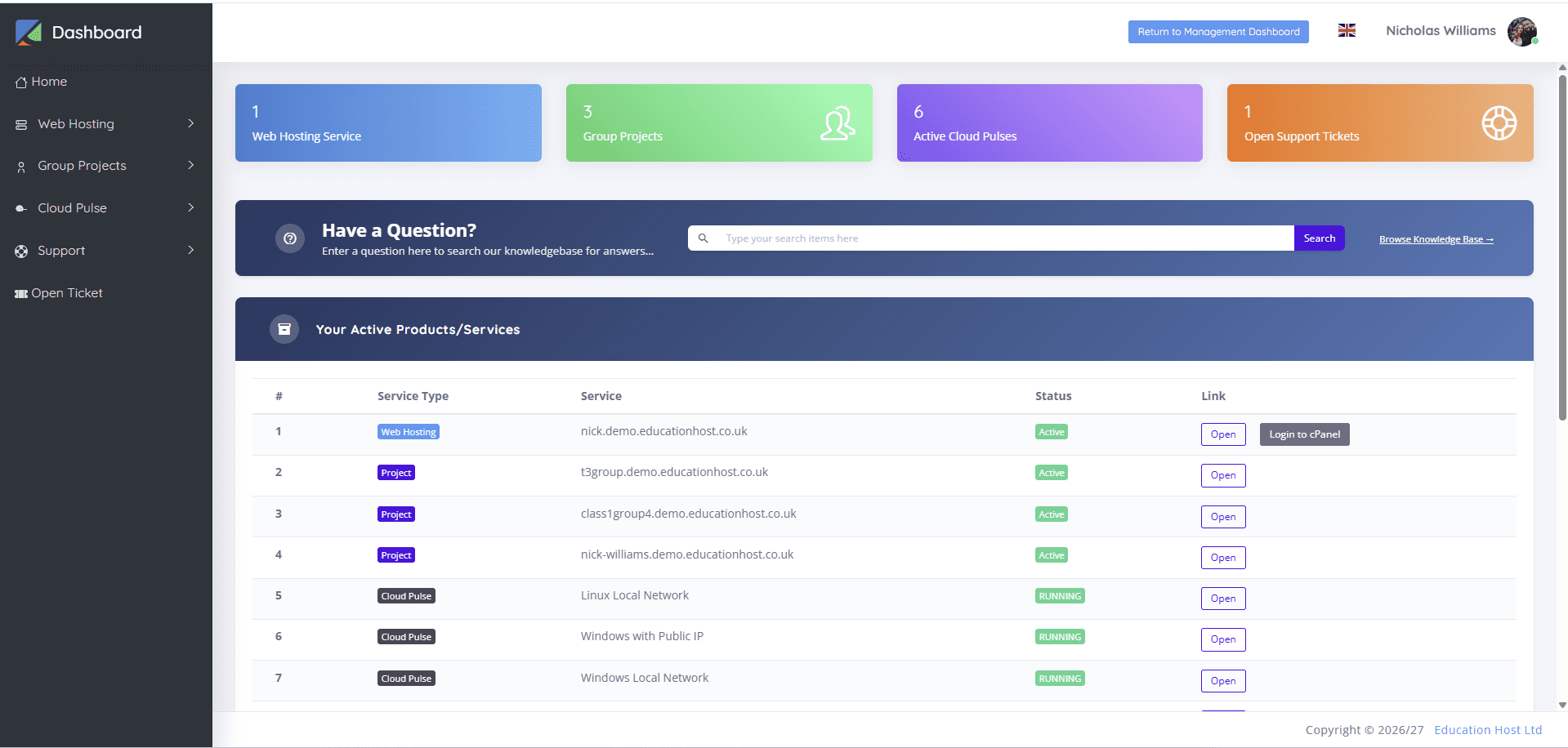
Through membership, not shared secrets: each student accesses the group account as themselves — their institutional sign-in, listed as a member — so joining and leaving are membership operations and nobody ever 'has the password'. The platform's job is to make the group account appear in each member's dashboard alongside their own hosting; the module's job is to keep the member list true.
Within the account, hosting-level permissions are coarser than teams sometimes wish (a shared account is a shared filesystem and database), which is worth teaching as reality: professional teams working on shared infrastructure coordinate through process and version control, not per-file permissions. Where a team genuinely needs per-member isolation plus integration, that is the Git-based pattern covered below.
Who owns the files, database and domain?
The module owns the account; the team works in it; individual members own none of it — and writing that down at project start prevents the end-of-term dispute. Practically: the group account and its subdomain belong to the institution's hosting estate, its content is the team's joint coursework subject to assessment rules, and no member can take it hostage, delete it in a dispute, or claim exclusive rights to the URL.
This is also the honest preparation for professional life, where project infrastructure belongs to the client or employer. Where a group project has an external client, ownership questions multiply — domains, content, handover — and the client-projects guide covers that boundary in full.
Read next: Hosting student portfolios and client web projects
How can contributions be evidenced for assessment?
Not from hosting logs alone — a shared account's file history says what changed, weakly, and rarely who changed it in a form assessment can lean on. The dependable contribution record is version control: a Git repository as the project's source of truth, with the hosting account as the deployment target, gives per-member commit history, review trails and an answer to 'who did what' that survives disputes.
The workable assessment pattern therefore pairs the two: repository history for contribution evidence, the live group site for the integrated outcome, and individual reflective components where the module wants them. Where a module skips Git, staff should say plainly that contribution evidence will rest on team statements and observation — a legitimate choice, but one to make knowingly.
What happens when a group member leaves?
With membership-based access, cleanly: the departing student's membership is removed (their own sign-in never touched the group's security), their individual account is unaffected, and the project continues. The messy versions all trace back to broken setup — if the project lived in the leaver's personal account, or the team shared one password the leaver knows, departure becomes migration or a credential rotation under deadline pressure.
The team-dynamics half belongs to the module (regrouping, contribution reweighting); the infrastructure's job is to make the technical half a non-event. One credential caution even in well-set-up groups: any application-level secrets the team created (database passwords in config files, API keys) should be rotated on departure — a professional habit worth requiring.
How should credentials inside the project be handled?
Group projects are where student credential hygiene is made or broken, because the temptation to share is structural. The rules to set: platform access is per-member sign-in, never a shared login; application secrets (the database credentials the app uses, external API keys) live in the account's configuration, not in the repository — a group repo is often public-ish within the cohort, and committed secrets are the classic leak; and external services use keys the module or team issued for the project, revocable without collateral damage.
Teach the rotation reflex alongside: secrets are rotated when a member leaves and when a leak is suspected. Five minutes of module material on this saves incidents — and mirrors exactly what the security guide requires at estate level.
Read next: Student web-hosting security and abuse management
How should the submission be preserved?
Separately from the live site, at the moment of submission. A live group site keeps evolving (or breaking) after the deadline unless frozen, so assessment needs an artefact: an export of files and database at submission time, a tagged commit where Git is in play, or an account moved to a restricted state that stops changes while keeping the site viewable for marking — ideally more than one of these. The submission is what gets marked and what appeals consult months later; the live site is just its most recent descendant.
Restriction-at-deadline is the pattern worth institutionalising: the module's accounts (group and individual) go read-only at submission, stay viewable through marking, and reopen or archive per policy — which is precisely the marking-window behaviour the backups and retention guides cover from their own angles.
Read next: Student website backups, resets and recovery
How should group accounts be archived?
On the module's lifecycle, with one group-specific addition: members may want copies. Individual coursework has one owner to notify; a group account's archival notice goes to the whole team, each of whom may download the project for portfolios — worth allowing explicitly, since a completed group project is often a student's best portfolio piece. The account itself then follows the standard path: suspended at module end, retained through marking and appeals, archived, deleted per retention policy.
Ownership makes this simple: because the account was always the module's, archival requires nobody's permission and strands nobody's work — provided the download window was real and communicated.
How does Student Web Host Manager support group projects?
Group project hosting is a first-class part of Student Web Host Manager: group accounts exist alongside individual ones, appear in each member's dashboard next to their own hosting, and are provisioned, made visible to module staff, suspended and archived through the same governed structures as everything else — so the ownership and lifecycle model this guide describes is platform behaviour rather than local convention. Students sign in as themselves via Microsoft Entra; nobody passes passwords around.
Modules running the Git-centred pattern pair it with Cloud Pulse development environments, with the group's hosted site as the public endpoint — the two-platform arrangement the comparison guide maps.