Universities provide student web hosting in one of six broad ways: institution-managed hosting (governed accounts per student, usually cPanel-based), students' own third-party commercial accounts, a shared university web server, cloud lab environments, managed application platforms, or local development only. The models differ less in the hosting technology than in who owns identity, support, lifecycle and cost — and the strongest setups choose deliberately per teaching need rather than inheriting whatever grew historically. This guide compares the options honestly, including the ones that involve buying nothing.
What are the realistic options?
Six models cover what universities actually do, and most institutions run more than one at once — often without having decided to.
- Institution-managed student hosting — the university provides an account per student on managed shared hosting, with institutional sign-in and lifecycle; delivered in-house or as a managed service
- Third-party commercial accounts — students buy (or claim free tiers of) their own hosting, and the course specifies outcomes rather than infrastructure
- A shared university server — one institution-run web server with student directories or accounts, the traditional computing-department model
- Cloud lab environments — whole per-student environments where hosting a site is one exercise among many (the systems-teaching model)
- Managed application platforms — students deploy to a platform (static-site or app services) rather than into hosting accounts
- Local development only — coursework runs on laptops and lab machines and is never published
How do the models compare?
The comparison that matters is not features but ownership: who runs identity, who fields support at 9pm before a deadline, who ends accounts cleanly, and whose budget carries it.
| Model | Strengths | Costs and risks | Best fit |
|---|---|---|---|
| Institution-managed hosting | Identical governed accounts, institutional sign-in, lecturer visibility, clean lifecycle | A service to run (or procure); per-student cost | Web teaching at cohort scale across departments |
| Students' commercial accounts | Zero institutional infrastructure; students see the real market | Unequal provision, no visibility, card details and ads in coursework, work vanishes with the account | Optional extras and self-directed learners — not assessed core work |
| Shared university server | Cheap, close to the metal, departmental control | Key-person risk, security burden, no isolation or lifecycle tooling; ages badly at scale | Small cohorts with a committed technical owner |
| Cloud lab environments | Full stack visible — students run the server itself | Administration is the point; overkill for publish-a-site coursework | Systems, networking and security modules |
| Managed application platforms | Modern deployment workflows, often free tiers | No server-side/database hosting on static tiers; platform-specific skills; governance varies | Deployment-focused modules alongside, not instead of, hosting |
| Local development only | No infrastructure at all | Half the syllabus missing: no deployment, domains, HTTPS or live assessment | Early exercises before publication enters the module |
How are accounts created and identities managed in each model?
This is where the models separate hardest. Institution-managed hosting can provision from class lists or enrolment workflows and sign students in with university credentials — the account-automation and SSO guides cover the machinery. A shared university server means someone scripts account creation and manages credentials by hand or half-automation, which is exactly the term-time toil the scripts' author eventually leaves behind. Commercial accounts and application platforms put identity entirely outside the institution: every student has different credentials on different services, invisible to lecturers and IT alike.
The identity question is a good single proxy for the whole decision: if coursework is assessed, the institution wants access tied to enrolment and visible to teaching staff — which only the institution-run models provide.
Read next: How to automate student web-hosting accounts
Who supports students in each model?
Somebody always does — the only question is whether by design. Institution-managed hosting comes with a designed route: knowledgebase, a named institutional contact, a provider behind it. The shared server's support model is usually one technician's goodwill. Commercial accounts route support to whichever company each student bought from, which in practice means the lecturer fields it anyway, without access to fix anything. Local-only pushes environment support onto lab machines and laptops, which is its own well-known burden.
Support load is also curriculum-shaped: it spikes at deadlines and during the first weeks, and the common cases (broken WordPress, deleted files, forgotten credentials) are predictable enough to design self-service resets and restores around — if the model allows it.
How do lifecycle and retention differ?
Coursework hosting has a shape in time — provisioned at module start, stable through marking, wound down deliberately — and only institution-run models can implement it. Managed platforms with lifecycle tooling suspend at module end, hold through appeals, archive and delete on policy, in bulk; a shared server can do the same if someone scripts and remembers it; commercial accounts simply end whenever each student's card or patience does, taking assessed work with them.
Retention is the compliance half: coursework contains personal data and assessment evidence, and 'we keep student sites forever because nobody deletes anything' is a policy failure in both directions. The retention guide covers the framework; the point here is that your delivery model either supports one or cannot.
Read next: What happens to student websites after a course ends?
What do the models cost?
Every model has a cost; they differ in where it lands and whether anyone measures it. Institution-managed hosting has visible costs — infrastructure or service fees, per-student scaling — and comparatively small hidden ones. The shared server looks free and is paid in staff time, security exposure and eventual crisis. Commercial accounts outsource cost to students, which is an equity decision as much as a budget one. Local-only spends its budget on lab estate and support instead.
The costs guide gives the full budgeting framework; for model comparison the rule of thumb is to price staff time honestly and equity explicitly, because those are the two lines that make 'free' models expensive.
Read next: How much does student web hosting cost universities?
What about security and procurement?
Security scales with governance. Institution-run models can enforce isolation between accounts, control outbound email, patch platforms and respond to compromised sites — the security guide covers the whole model. The shared server carries the same risks with whatever controls its owner had time to build. Student-owned accounts scatter the risk beyond institutional reach entirely: nobody at the university can respond to a compromised site that is also a student's personal property.
Procurement, for the managed route, is standard supplier assessment plus the education-specific questions: identity integration, academic structures, lifecycle tooling, data location and exit. The evaluation checklist in the complete guide doubles as the tender question list.
Read next: Student web-hosting security and abuse management
Which model fits which teaching need?
A workable allocation for most portfolios: institution-managed hosting as the backbone for web development, WordPress, digital business and portfolio coursework — anywhere students publish websites as assessed work; cloud labs for the modules where the server or network is the subject; application platforms taught alongside as deployment literacy, not as the coursework home; commercial hosting introduced as market knowledge (students should know what exists) without being required for assessment; and local-only reserved for the pre-publication weeks it suits.
The anti-pattern is drift: a shared server that became load-bearing, commercial accounts that became a requirement, local-only that quietly capped the syllabus. Choosing per teaching need — deliberately, reviewed occasionally — is the whole discipline this guide exists to support.
Read next: Shared web hosting versus cloud labs for teaching
Where does Student Web Host Manager fit?
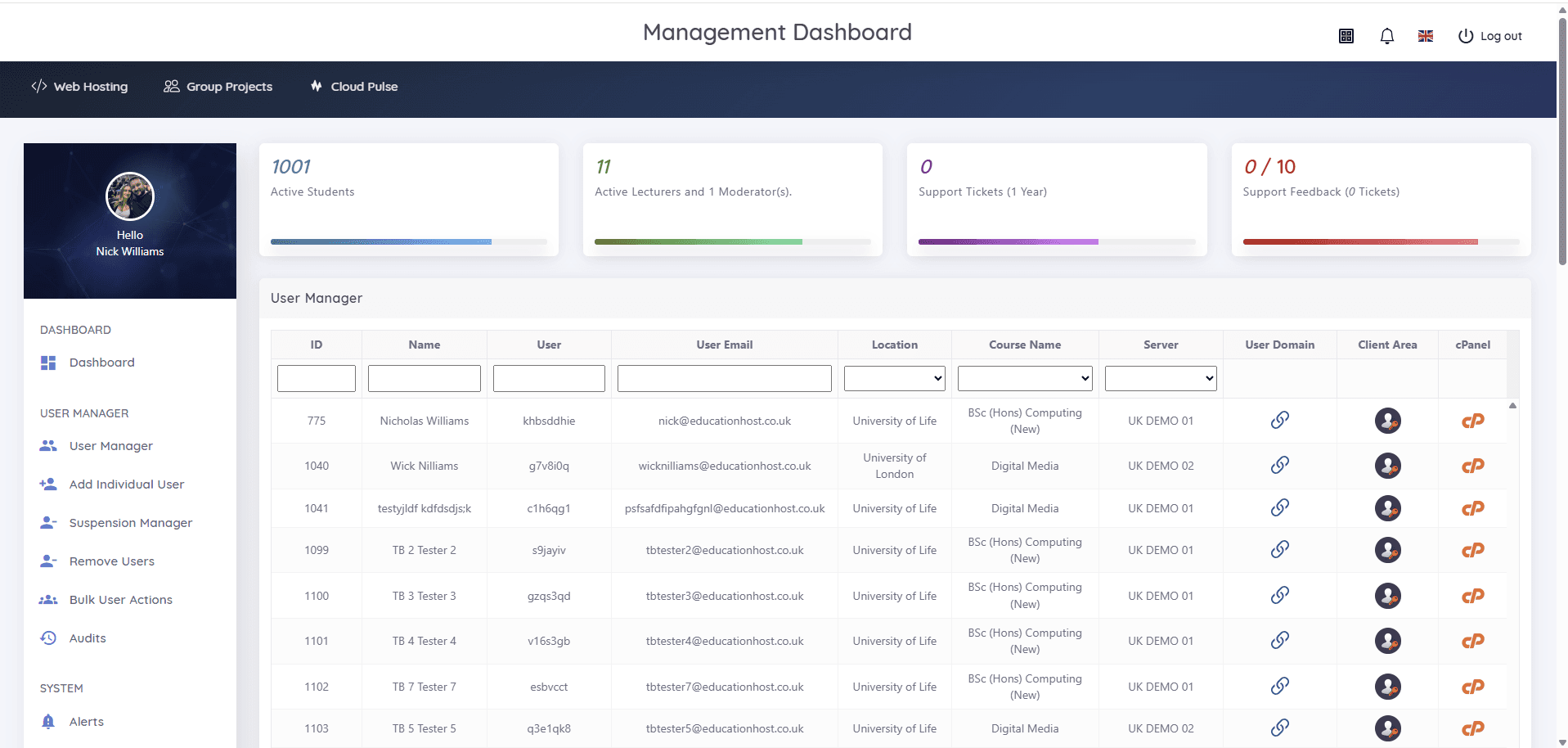
Student Web Host Manager is the institution-managed model delivered as a managed service: real cPanel hosting underneath, with the education layer — bulk provisioning from imports or enrolment workflows, Microsoft Entra sign-in, courses, modules and teaching blocks, delegated lecturer visibility, suspension and archival aligned to the academic calendar, and estate-wide reporting — provided as the product rather than built in-house. Education Host manages the infrastructure, backups and support behind it.
It exists because the institution-managed column of the comparison table is usually the right answer for assessed web teaching, and because building that column's tooling internally is the shared-server story with better intentions. The platform page shows the product; the complete guide's evaluation checklist is the fair way to test it against alternatives.