Where a student hosting platform supports it, students sign in with their university Microsoft account — single sign-on against Microsoft Entra ID — instead of a separate hosting password: the platform is registered as an enterprise application in the university's tenant, receives a minimal set of user details on sign-in, and access follows enrolment, with institutional MFA and conditional access applying automatically. For hosting specifically, SSO removes the worst operational burden of cohort-scale accounts (issuing and resetting hundreds of passwords) and the worst security one (an unmanaged parallel credential estate). This guide covers what the integration needs, how access maps to modules and roles, and what to test before launch.
Can students sign in to hosting with university accounts?
Yes, where the platform integrates with institutional identity — and for hosting it should be a hard requirement, because the alternative is issuing a password per student per term. With SSO against Microsoft Entra ID, the student's route into their hosting dashboard is the account they already use for email and Teams: no credential to distribute at term start, no reset queue, no password list in a spreadsheet anywhere, and access that ends when enrolment does.
Student Web Host Manager works exactly this way — students and staff sign in with existing university credentials via Microsoft Entra (formerly Azure Active Directory) — and the pattern is standard enough that your identity team will recognise every part of it.
What are SAML and OpenID Connect, in one paragraph each?
SAML and OpenID Connect (OIDC) are the two standard protocols through which an application trusts an identity provider. In both, the hosting platform never sees the student's password: the sign-in happens at Entra ID under university policy, and the platform receives a signed assertion or token containing agreed details about the user. SAML is the older enterprise standard; OIDC is the modern web-native one; Entra ID supports both for enterprise applications, and which one a given platform uses matters far less than the questions around it.
Those questions — what claims to send, group emission limits, app roles, guest users — are covered in depth in our cloud-labs Entra ID guide, which applies to hosting integrations unchanged. This page stays on the hosting-specific ground.
Read next: Student virtual environments with Microsoft Entra ID
What user details does a hosting platform need?
The minimal set, and nothing more: a stable unique identifier (the key the student's hosting account hangs off — not a display name, which changes), a name for human-readable interfaces, an institutional email address, and the group or role information that drives module access and staff permissions. That is enough to operate a governed hosting estate; job titles, phone numbers and the rest of the directory should be withheld by default.
Data minimisation here is privacy practice and operational hygiene at once: what the platform never receives, it never stores, never displays wrongly and never has to answer for in a data-protection query. Record what is sent as part of the integration's documentation — a one-page claims list your identity and data-protection teams both sign.
How can access be restricted to approved students and module groups?
Two gates, used together. Assignment in Entra ID: the enterprise application is assigned to specific groups — hosting cohorts, module groups, however your tenant models teaching — rather than opened to every account in the tenant, so only intended students can authenticate at all. Structure in the platform: the hosting service maps students to their courses and modules, so what an authenticated student sees and gets (their account, their module's package) follows teaching structure.
The division of labour matters: enrolment truth lives in the directory and its groups, teaching structure lives in the platform, and neither tries to do the other's job. Late enrolments and withdrawals then flow through group membership — the same mechanics as every other institutional application.
How should lecturer and administrator roles be assigned?
From directory groups or app role assignments, mapped to platform roles — never by hand-promoting individuals inside the hosting service. A hosting estate needs few roles: students (their own account), lecturers and moderators (delegated visibility of their own cohorts — the ability to see and support without infrastructure access), and administrators (platform configuration and the estate view). Each maps from a group your existing joiners-movers-leavers process already maintains.
Role-based delegation is what keeps the estate governable at scale: a lecturer sees their modules' students, not the university's; IT keeps servers and policy; and when someone changes role, the directory change does the work. Keep the administrator set small, named and MFA-enforced, as anywhere else.
How do MFA and conditional access affect hosting sign-in?
They come free, which is much of SSO's security value: because sign-in happens at Entra ID, the university's MFA policies and conditional access rules apply to hosting exactly as institutionally configured — the hosting platform neither implements nor weakens them. A hosting estate behind institutional MFA is categorically better protected than one behind five hundred student-chosen passwords.
The teaching-calendar check applies here as everywhere: policies written for staff office patterns should be reviewed against student realities — sign-ins from halls at midnight, from abroad during placements, from shared library machines — before a cohort meets them. That review belongs to the institution's identity team; the platform's job is simply to stand behind the policy rather than around it.
What happens when a student leaves — and what about the cPanel layer?
When a student leaves the university, their Entra ID account is disabled by the normal leaver process and hosting sign-in ends with it — no hosting-side deprovisioning needed for access. The hosting account itself (site, files, databases) persists until the platform's lifecycle policy handles it: suspension, the retention window, archival, deletion. Access removal is instant and identity-driven; content removal is deliberate and policy-driven — and the retention guide covers that second half, including notice and download windows.
The hosting-specific wrinkle is the panel layer: in cPanel-based estates, the underlying cPanel account exists alongside the SSO front door, and deployments differ in how students reach it — commonly through authenticated dashboard links rather than a separately-issued panel password. The design goal is one managed route in: students authenticate institutionally and reach their hosting tools from there, with any residual panel credentials minimised, controlled and never the primary path. Ask any platform to explain this layer plainly; it is where hosting SSO integrations are strong or sloppy.
Read next: What happens to student websites after a course ends?
What should be tested before launch?
Identity failures at term start are cohort-wide by definition, so the integration earns a proper test pass before students arrive:
- End-to-end sign-in with a real student account (not only an IT test account) into dashboard and hosting tools
- Claims received match the agreed minimal list — nothing missing, nothing extra
- A student sees their own account and only theirs; a lecturer sees their cohorts and only those; an administrator sees the estate
- A brand-new student created this week can sign in — provisioning latency is the classic day-one failure
- Group removal (withdrawal) removes access on the expected timescale
- MFA and conditional access behave sensibly from student locations and devices, including off campus
- First-session load: a timetabled class signing in simultaneously
- The panel layer: how students reach cPanel tools, and that no unmanaged credential path exists
- Break-glass administration works with SSO deliberately bypassed — once, documented, locked away
- Failure messages are comprehensible and the support route is named on them
How does Student Web Host Manager handle Entra sign-in?
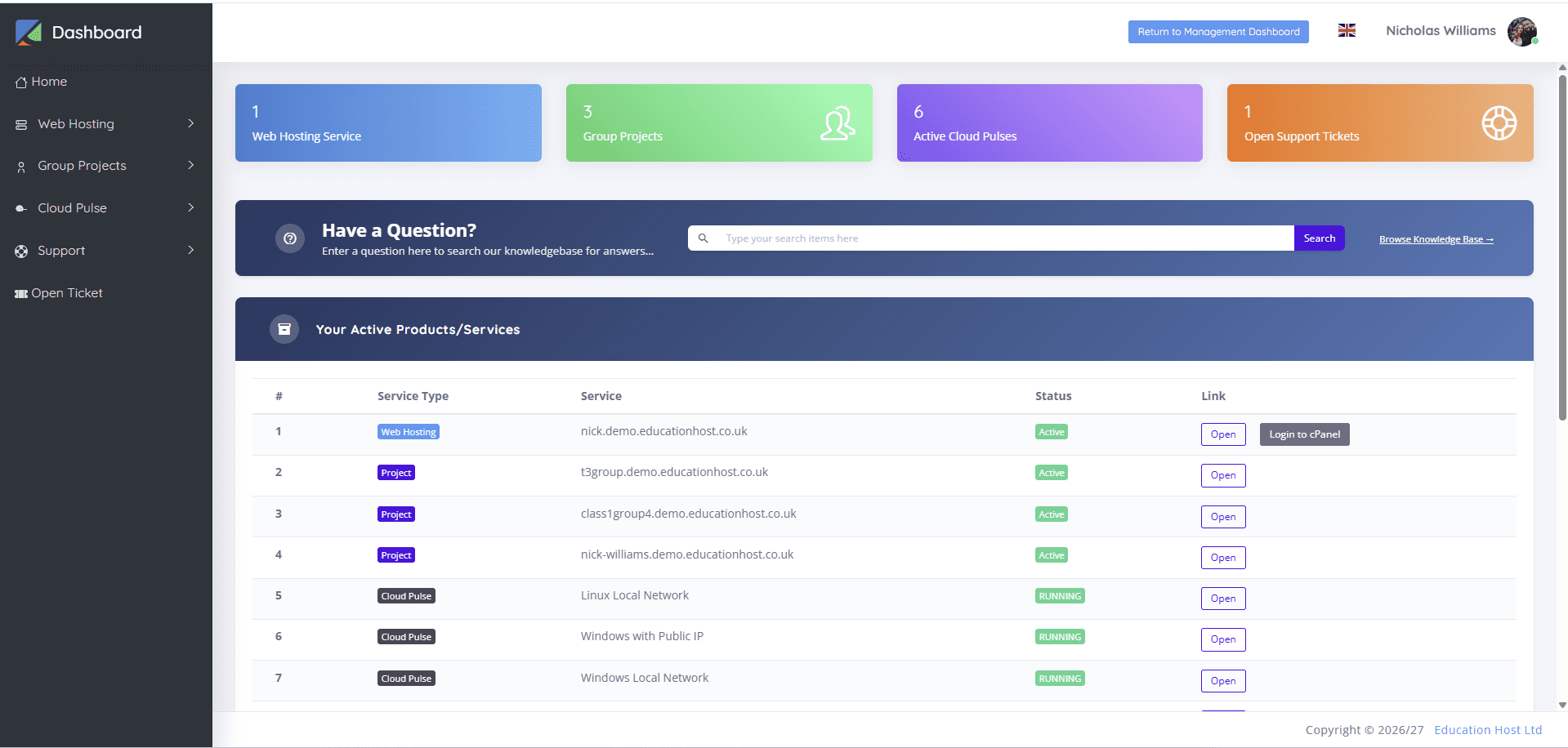
Microsoft Entra sign-in is the front door of Student Web Host Manager: students and staff use existing university credentials, role-based access separates students, lecturers and administrators, access aligns to courses, modules and teaching blocks, and conditional access applies where institutionally configured. The platform complements institutional identity governance rather than replacing it — enrolment truth stays in your tenant — and students reach their hosting, cPanel tools, group projects and support from the dashboard their university login opens.
The integration is configured with each institution during onboarding, which is where the claims list, group assignment and testing checklist above become a working session with your identity team rather than a document.