Automating student hosting means turning a class list into working, correctly-configured accounts — and later into suspended and archived ones — without per-account manual work. The essentials: bulk creation from imports or enrolment-workflow syncs, a deterministic username policy, single sign-on instead of issued passwords wherever possible, per-module packages and quotas applied automatically, validation and duplicate prevention before anything is created, safe handling of partial failures, an audit trail of every change, and lifecycle operations (suspend, archive, delete) that run in bulk against academic dates. Done well, term start becomes a checked import rather than a fortnight of account administration.
Why automate hosting accounts at all?
Because manual account work scales with headcount and never stops: students join late, switch modules, withdraw, resit and graduate all year, and every event is an account operation. A cohort of five hundred handled by hand is a term of creation tickets, password resets and end-of-module clean-up — error-prone in exactly the ways that surface during marking. Automation converts that stream into policy: enrolment data drives accounts, calendars drive lifecycle, and humans handle exceptions instead of volume.
The quiet benefit is equality of provision: automated accounts are identical accounts — same package, same naming, same configuration — where hand-built ones accumulate variation that later becomes support load.
How are accounts created in bulk from class lists?
Three intake routes cover practice, in ascending order of automation: individual creation (always available, right for exceptions); bulk upload — a class list validated and processed as a batch, the workhorse at term start; and enrolment-workflow sync, where student data flows from institutional systems on a schedule so the hosting estate follows enrolment without anyone exporting spreadsheets. Real deployments use all three: sync or bulk for the cohort, individual for the stragglers.
Whatever the route, creation should be a pipeline, not a loop of raw commands: validate the input, check for existing accounts, create, configure (package, subdomain, module assignment), verify, record. Be wary of any promise that this is 'instant integration with your student records system' — the honest version is imports and workflow syncs that your registry data feeds, with validation between them and the servers.
How should usernames and site names be generated?
Deterministically, from a written policy, before the first account exists — renaming a hosting estate later is misery. Good policies share three properties: derived from stable institutional identity (student ID or institutional username, not preferred names that change), predictable (staff can infer a student's account and URL without looking it up), and collision-free by construction (IDs are unique where names are not — two students called J. Smith will enrol in the same module eventually).
The username usually doubles into the student's subdomain, which adds a public-facing consideration: institution-branded student URLs should be tidy, non-embarrassing and consistent — another argument for ID-based schemes over name-based ones. The domains guide covers the naming side in full.
Passwords or SSO?
SSO, wherever the platform supports it — issued hosting passwords are the automation problem that should not exist. Every generated password is a distribution problem (how does the student get it safely?), a reset stream (they will forget it), and an unmanaged credential the institution's security policy never wanted. Single sign-on against the university identity provider removes the whole category: students reach their hosting with the account they already have, MFA included, and access ends with enrolment.
Where a component still requires its own credential (direct cPanel login in some setups, for instance), automation should minimise its blast radius: generated strong, delivered through the authenticated dashboard rather than email, resettable self-service, and never reused across accounts. The SSO guide covers the identity integration itself.
How should packages, quotas and module grouping be assigned?
At creation, from the module, automatically. A package — the bundle of quotas and features an account gets — should be a property of the class, not a per-account decision: the web-development module's accounts get its package, the WordPress module's accounts get another, and a student on both gets whatever the policy says (typically the more generous, or one account per programme rather than per module — decide once, in writing).
Module grouping is the structural half: accounts tagged to courses, modules and cohorts at creation are what make everything later possible — lecturer visibility scoped to their own students, bulk operations scoped to a class, lifecycle scoped to module dates. Flat account lists make all of that manual again; the modules-and-cohorts guide covers the structure this hangs on.
Read next: How to organise student hosting by module, class and cohort
How should validation and duplicate prevention work?
Before creation, not after: the cheap place to catch bad data is at the gate. Validation checks the intake — required fields present, IDs well-formed, emails institutional, module codes real — and rejects or quarantines rows that fail, reporting them rather than silently skipping. Duplicate prevention asks the prior question: does this student already have an account? Matching on the stable identifier (never on names), the pipeline should recognise existing students and update-or-skip rather than create twins.
Duplicates deserve the paranoia: the classic term-start failure is the same class list processed twice — by two colleagues, or by a retry after a partial failure — and a naive pipeline happily creates five hundred doppelgänger accounts. Which is why the next section's property is not optional.
How should failures, retries and background processing behave?
Bulk operations fail partially — row 312 of 500 has a malformed record, or a server hiccups mid-batch — and the pipeline's job is to make partial failure boring. Conceptually that needs three properties. Idempotency: running the same import twice produces the same result as running it once — already-created accounts are recognised and skipped, so retries are safe by design. Isolation of failures: one bad row skips and reports; it does not abort the batch or, worse, halt half-configured. Visibility: the operation ends with an account of itself — created, skipped, failed and why — that a human reviews.
Long-running work belongs in background processing with progress visibility rather than in a browser tab someone dare not close; and every batch should be resumable, because term-start operations get interrupted by term start. These are properties to demand of any platform (or to build deliberately in-house) — the test is 'what happens if I run yesterday's import again?', and the right answer is 'nothing'.
How should account changes be audited?
Every account operation — created, configured, suspended, reopened, archived, deleted — should record what happened, when, to whom, and on whose authority (a person, or a named policy). The audit trail is not bureaucracy: it answers the operational questions that otherwise become archaeology ('why does this student have two accounts?', 'who reopened this after the module ended?') and the governance ones that arrive with academic appeals and data-protection queries.
Auditing pairs with data-quality reporting: accounts with no matching enrolment record, students with no account, never-logged-in accounts weeks into term — the discrepancies between the estate and reality that automation makes visible instead of invisible. A monthly look at that report is how the estate stays true.
How are accounts suspended, archived and deleted?
As bulk lifecycle operations driven by academic dates, through distinct reversible-then-irreversible stages: suspend at module end (access off, everything preserved — cheap to reverse for resits and extensions); archive after the marking and appeals window (content retained per policy, account inactive); delete when retention policy says so (irreversible, and therefore last and deliberate). Reopening is a first-class operation, not an apology — students return, appeals succeed, extensions happen.
The automation point is that these run against groups — 'suspend this module's accounts on this date' — with the same audit, visibility and reversibility discipline as creation. The retention guide covers the policy layer (notice to students, download windows, personal data); this pipeline is what executes it.
Read next: What happens to student websites after a course ends?
How does Student Web Host Manager automate this?
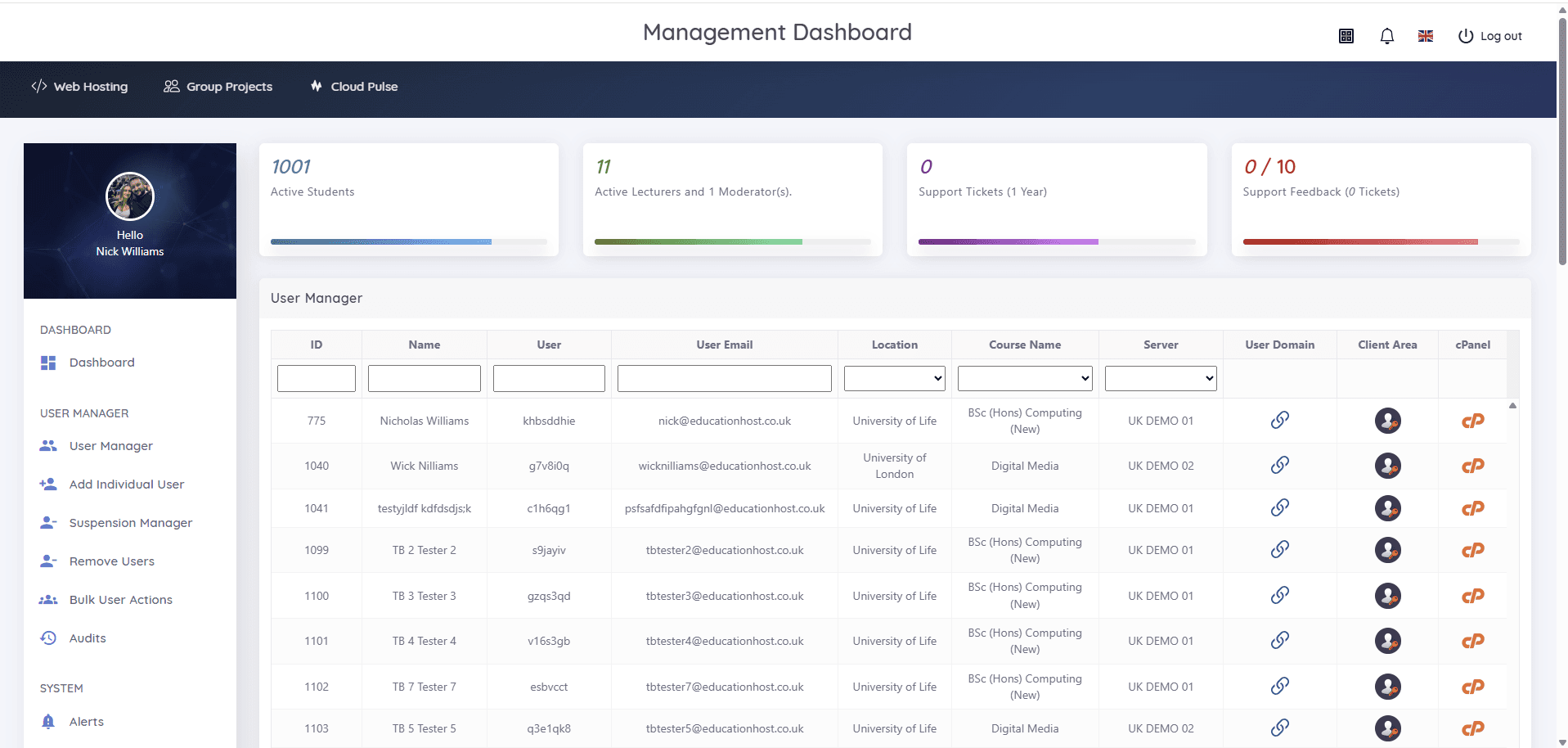
This guide is, more or less, Student Web Host Manager's job description: students are imported individually, by bulk upload or via enrolment-workflow sync; hosting accounts are provisioned automatically with standardised, institution-branded configurations; sign-in is Microsoft Entra rather than issued passwords; accounts belong to courses, modules and teaching blocks from creation; the suspension manager and lifecycle states (active, restricted, archived, reopened) run in bulk against the academic calendar; and alerts, audit visibility and the Statistics Manager's data-quality views keep the estate honest — including the never-logged-in accounts every big estate accumulates.
Institutions can and do build this pipeline themselves against WHM's machinery; the build-versus-buy considerations mirror the cloud-labs version of the same question. Either way, the properties in this guide — determinism, idempotency, audit, reversibility — are the specification to hold any implementation to.