Student hosting security starts from an honest premise: an estate of hundreds of public websites run by beginners will experience compromises, vulnerable applications and occasional misuse — so the architecture's job is containment, detection and recovery rather than the pretence of prevention. The working model: accounts isolated from each other so one compromised site is one account's problem; platform-level controls on outbound email and resources so abuse cannot amplify; monitoring that surfaces problems early; a practised suspend-investigate-recover-notify workflow; and acceptable-use rules that make the boundaries explicit before anyone crosses them. No shared platform is completely secure; a well-run one makes incidents small, visible and cheap.
How are student accounts isolated from each other?
Each hosting account runs as its own separated unit — its own system user, home directory, databases and resource limits — with the platform enforcing that one account's code cannot read another's files, use another's database credentials or exhaust the server everyone shares. Isolation is the load-bearing wall of shared hosting: it converts 'a student site got compromised' from an estate incident into an account incident.
State its limits as plainly as its strengths: isolation on shared infrastructure is strong but not absolute — platform vulnerabilities and misconfiguration can cross boundaries, which is why platform patching (below) is part of the security model rather than housekeeping. And isolation does nothing for the account itself: a student's site is exactly as secure as what runs in it, which is what the rest of this guide is about.
How do student sites actually get compromised?
Through the same routes as the wider web, concentrated by inexperience: outdated applications and plugins (the dominant route — a WordPress plugin with a known vulnerability, unpatched for months), weak or reused passwords on application admin accounts, credentials leaked through public repositories or shared config files, and vulnerable homework code — the injection and file-upload flaws that the OWASP Top Ten catalogues, written by students who are still learning why they matter.
Two design responses follow. Raise the floor: HTTPS everywhere, strong generated credentials, updated platform PHP, installer policies that avoid abandoned applications. And expect the remainder: some sites will be compromised anyway, so the estate's real quality shows in what happens next — which is why the response workflow below matters more than any single control. (The teaching opportunity is real too: the stack students run is the best place to teach the vulnerabilities it attracts.)
How should malware and compromised sites be detected and handled?
Detection is a platform job: malware scanning across accounts, anomaly signals (a quiet portfolio site suddenly serving redirects, a spike in outbound connections), and external signals — blocklist notifications, complaint mail — feeding a queue someone owns. Students rarely detect their own compromise; the estate has to.
Handling follows a standard containment ladder: restrict or suspend the affected account (containment first — reversible, and immediately stops the harm); preserve evidence (logs, the compromised state) before touching anything; clean by restoration rather than surgery — restore from a pre-compromise backup or reinstall the application, since hand-cleaning infected sites is unreliable; close the entry route (update the plugin, rotate the credentials) before the site returns; and notify the student throughout — it is their work, and the incident is also their learning moment. The NCSC's incident-management guidance frames the institutional wrapper: prepared plans, named owners, exercised process.
How should vulnerable applications be managed before they are exploited?
Proactively, as estate hygiene: the platform can see which accounts run which applications and versions, so known-vulnerable installs are findable before attackers find them. The workable cycle — surface outdated applications and plugins, notify owners with a deadline and a one-line fix path ('update or we restrict'), then restrict what stays vulnerable — treats updates as an obligation of publishing, which is itself curriculum-adjacent: professional hosting works the same way.
Policy carries the edge cases: coursework that must pin an old version for a legitimate reason gets a scoped exception (ideally not publicly reachable); abandoned applications from finished modules should be caught by lifecycle (suspended accounts are not attack surface — one more argument for the retention machinery); and nulled or pirated plugins are banned outright as a malware vector.
How should outbound email and spam be controlled?
As an estate-level control with teeth, because outbound abuse is the failure mode that hurts everyone at once: one compromised site sending spam can get shared infrastructure blocklisted, breaking email-dependent functionality for every innocent account and dirtying the institution-branded domain. The standard posture: outbound mail from web applications rate-limited and monitored per account, anomalies (a site that never sent mail suddenly sending thousands) alerting fast, and the amplification routes (open contact forms, unauthenticated send scripts) addressed in teaching materials so students do not build spam cannons for coursework.
Inbound spam to student mailboxes, where deployments include mail, is the familiar filtering problem; it matters less here than the outbound direction, which is why this section is really about protecting the estate's reputation — a shared asset students never see until it is lost.
How should resource abuse be detected and limited?
Per-account resource limits do the everyday work: caps on processing, memory, storage and database use keep any single site — broken, busy or malicious — from degrading its neighbours, and make 'my site is slow' diagnosable rather than mysterious. Monitoring above the limits catches patterns limits miss: the account mining cryptocurrency, hosting file-sharing for friends, or running something that is not coursework at all.
The response distinguishes malfunction from misuse: a runaway coursework script gets a limit, a reset and a teaching moment; deliberate misuse gets the acceptable-use process. Both start from the same signal, which is why the estate needs eyes on resource shape, not just ceilings.
Should students have shell access, and how should file permissions work?
Default no on shell access for teaching hosting: the panel and its tools cover the web curriculum, while shell access widens the attack surface, the misuse surface and the support surface at once. Where a specific module genuinely needs command-line work, that is usually the signal it belongs in a lab environment (where shells are the point and isolation is built for them) rather than a reason to open shells across a shared estate — a scoped exception on hosting being the rare middle case.
File permissions are platform-set to safe defaults — account-private by default, web-readable where serving requires — and mostly should not be student-adjustable homework. The teachable slice (why world-writable is dangerous, what the web server can read) fits in the security lecture; estates should not depend on eight hundred beginners setting permissions correctly.
Read next: Shared web hosting versus cloud labs for teaching
How should an investigation run, and when should an account be suspended?
On a written workflow, because improvised investigations go wrong in both directions — heavy-handed with students, or careless with evidence. The shape: triage the signal (compromise, misuse or malfunction?); contain proportionately — restriction or suspension is precautionary and reversible, not punitive, and should be used early when harm is ongoing; preserve logs and state before remediation; investigate with the platform's audit trail (who accessed what, when, what changed); notify the student — promptly for compromises ('your site was attacked, here is what happens next'), through the conduct process for suspected misuse; and record the outcome, because patterns across incidents are how estates improve. Log retention should follow institutional policy and NCSC guidance — keep the important logs at least six months, since problems surface late.
Suspension criteria belong on paper: ongoing harm to others (spam, attack traffic, malware serving) warrants immediate suspension; contained problems can wait for the student to fix them; and academic-conduct questions follow the university's own process, with hosting supplying evidence rather than verdicts.
What acceptable-use rules does student hosting need?
Short, specific and taught — a page students actually read, not a legal appendix they click past. The core: hosting is for coursework and study-related sites; the obvious exclusions (commercial hosting of third parties, illegal content, malware, spam, attacking anything from the account); the obligations of publishing (keep applications updated, protect credentials, personal-data care for anything they collect); and the consequences ladder (notification, restriction, suspension, conduct referral) so nothing about enforcement is a surprise.
Anchor it to policies that already exist — the institution's IT acceptable-use and academic-conduct frameworks — rather than inventing a parallel regime, and put the rules where students meet them: at first sign-in and in module materials. The other half of the contract is the institution's: monitor lawfully and proportionately, investigate fairly, and treat compromised students as victims to help rather than offenders to sanction.
How does Education Host handle student hosting security?
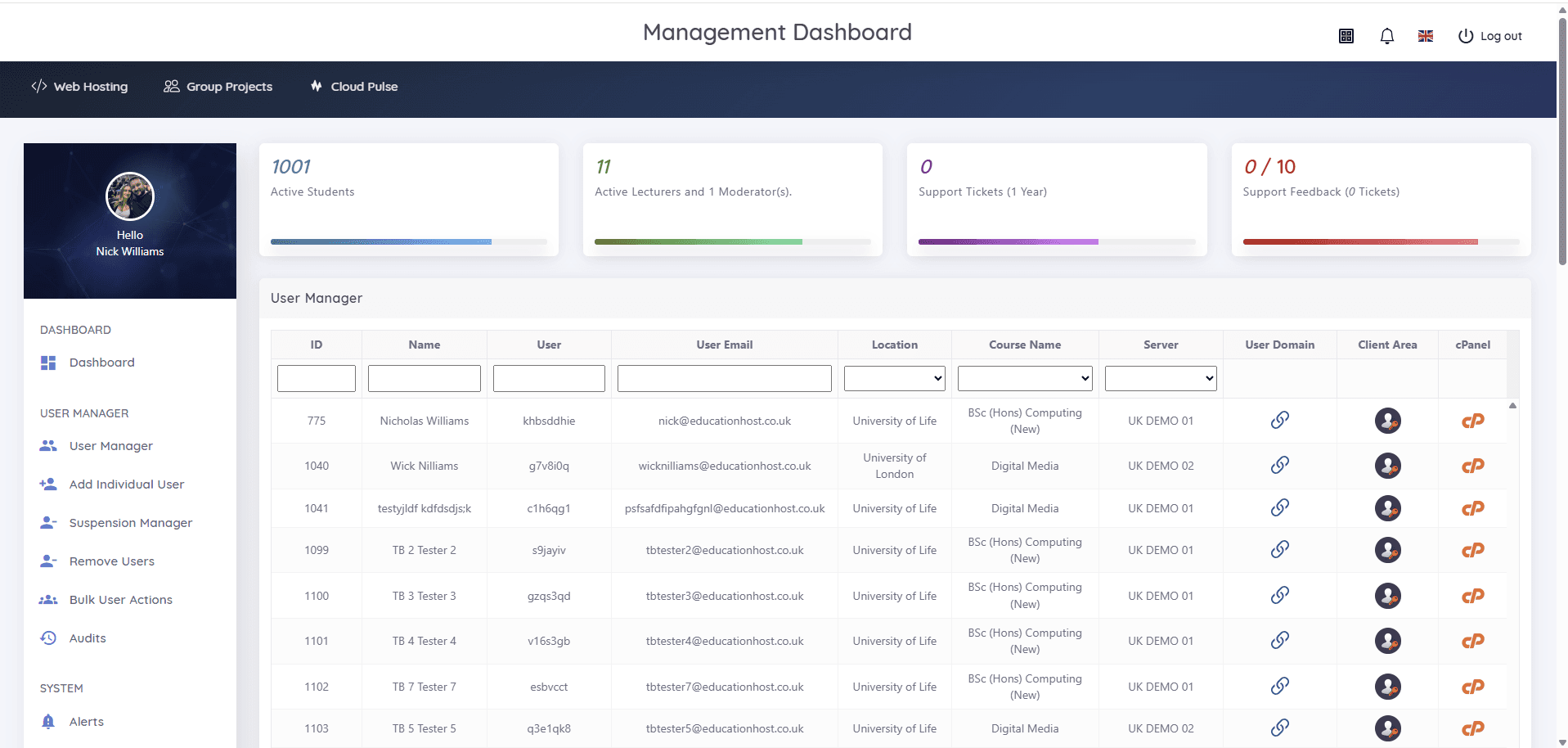
The estate model this guide describes maps onto how Education Host runs student hosting: isolated cPanel accounts on managed, monitored UK infrastructure, with platform patching, backups and support as part of the managed service; and Student Web Host Manager providing the governance layer where response lives — role-based access with audit visibility, alerts, and the suspension manager that makes restriction and reopening a recorded operation rather than a scramble. Institutional identity (Microsoft Entra sign-in) removes the standalone-password estate that generic hosting leaves behind, and acceptable-use boundaries are agreed with each institution.
Education Host is Cyber Essentials certified, with facility-level certifications held by the data-centre operator — two claims we keep deliberately separate — and security reviews are a normal part of scoping: bring your security team and this guide's questions.