Web-design and development courses are where student hosting earns its keep: from the first HTML exercise onwards, students publish to their own account and real URL, so the module teaches the entire craft — markup, styling, interactivity, server-side code, databases, accessibility, responsive behaviour, deployment — on the infrastructure the web actually runs on. The account carries the student through the programme: week-one pages, second-year database work, WordPress client projects, and the portfolio that outlives graduation. This guide maps the curriculum onto hosting, including the honest boundary where a cloud development environment serves a module better.
Why should web students publish from week one?
Because the gap between 'renders in my browser' and 'live on the web' is where half the discipline lives, and early publishing closes it before bad habits form. A student who uploads their first HTML page learns immediately about file paths and case sensitivity, what a URL maps to, why assets 404, and what HTTPS means — mechanics no local preview teaches. From then on, every exercise has a public artefact: shareable, markable, and real in the way that motivates.
Publishing early also front-loads the professional habit the course will keep drawing on: the separation between working locally and deploying, which later becomes staging-versus-production thinking and deployment workflow. The rest of this guide is essentially that idea applied through the curriculum.
How does the curriculum map onto a hosting account?
One student account carries the standard progression:
- HTML and CSS — static pages published to the student's subdomain; the file manager and upload workflow are themselves week-one syllabus
- JavaScript — client-side interactivity on those same pages; browser dev tools against a live URL
- PHP and forms — the jump to server-side: processing input, sessions, first authentication
- Databases — MySQL behind the PHP: the application-to-data loop, on real credentials the student manages
- WordPress and CMS work — installed into the account where enabled; themes, content models and client patterns
- Multi-page projects and client briefs — the integrated builds that assessment centres on
- The portfolio — the account's permanent tenant, growing alongside everything above
The stack depth (installer policy, credentials, resets) is covered in the PHP, MySQL and WordPress guide; the point here is the continuity — one account, one URL, three years of visible progress.
How do accessibility and responsive design fit hosting?
Better than they fit localhost, which is why hosted coursework quietly raises the standard of both. Accessibility evaluation is most honest against a live URL: screen readers, keyboard-only navigation, automated checkers and — crucially — another human's device all point at the student's real site rather than a simulated one, and marking can do the same. For UK-facing courses, teaching accessibility as a legal and professional requirement (the Equality Act's anticipatory duties; WCAG as the working standard) lands harder when every student has a public site it applies to.
Responsive design likewise: a hosted page is testable on the student's own phone, the lab's tablet and a classmate's laptop in a way a local preview never quite is. Build the habit into assessment — 'markers will view your site on a phone' is a single sentence that improves a cohort's CSS more than a lecture.
How should source control and deployment work?
Teach the two-repository truth early: the codebase lives in Git; the hosting account is where a version of it is deployed. For early modules, deployment is honest manual upload — itself worth teaching once, because it makes 'deployment' concrete. As the course matures, the workflow does: students deploy from their repository to their account, and the distinction between committing (saving work) and deploying (publishing it) becomes muscle memory.
The rules that travel with this: credentials and secrets never enter the repository (the classic student leak is a config file in a public repo); the repo, not the live site, is the source of truth; and assessed submissions are tagged commits plus the deployed artefact, which makes marking and academic-integrity conversations evidence-based. Where a module's centre of gravity is application engineering with build pipelines, that is the neighbouring delivery model — covered honestly below.
What should students learn about staging and production?
The concept, at teaching scale: work-in-progress and the published thing are different, deliberately. Within a hosting account this is teachable without ceremony — a subdirectory or subdomain as the 'staging' area where the client-project build evolves, and the main URL as 'production' that only receives tested work. The vocabulary matters more than the tooling: students who internalise 'never edit production directly' have learned the thing the industry's elaborate pipelines exist to enforce.
Client-project modules are the natural home for making it formal: the assessed brief requires a staging copy for the client walkthrough and a production cut for submission — which also produces exactly the separation the portfolios-and-client-projects guide needs at handover time.
Read next: Hosting student portfolios and client web projects
How should testing be taught on hosted coursework?
Web testing at course level is mostly evaluation against the live site, and hosting makes all of it real: HTML and CSS validation against the deployed pages; accessibility passes as above; performance basics (what weighs a page down, what caching means) observed on a real server rather than the local loopback's flattery; cross-browser and cross-device checks; and link and form testing by peers, who are the best broken-link detectors ever deployed.
Peer review deserves the explicit slot: 'exchange URLs and complete this checklist against each other's site' is cheap to run, professionally realistic, and only possible because everyone has a URL. The habit of shipping something a stranger will poke at is much of what separates coursework from web work.
Where do portfolios and client projects fit?
As the account's long arc. The portfolio is the compounding asset — every strong assessed piece earns a place, and by final year the student owns a body of live, linkable work that interviews can visit; institution-branded subdomains keep it credible and clearly academic. Client projects are the capstone pattern — real briefs for real (often local) organisations, built and staged on student hosting under module governance.
Both have boundary questions this centre answers elsewhere: what happens to the portfolio at graduation, who owns the client's domain and content, and how handover works — the portfolios and client projects guide is the authority, and course teams should read it before the first client brief goes out, not after.
How should assessment work on hosted coursework?
Mark the URL, preserve the artefact. Live-site marking is the honest version of web assessment — the marker experiences what a visitor would, on the student's real deployment — and it needs the marking-window discipline this centre covers repeatedly: accounts restricted (read-only) at the deadline so the marked thing stops moving, submissions exported or tagged as the durable record, and reopening after marking per policy. That combination gives fairness (everyone frozen at the same moment) and evidence (what was marked exists independently of the live site).
Rubrics can then lean on the medium: responsiveness, accessibility, performance and deployment hygiene are all markable against a URL in a way screenshots never allowed. The backups and retention guides carry the machinery.
Read next: Student website backups, resets and recovery
When is a cloud development environment the better fit?
When the module stops being about websites and starts being about software systems. The tells: the coursework needs Node.js or Python runtimes and build pipelines rather than the hosting stack; students need root access, services, containers or arbitrary dependencies; the 'site' is really an application with an API and the browser is just its client; or the module is explicitly about development workflow (environments, dependency management, integration) rather than web craft. At that point a cloud development environment — full toolchain, disposable, per student — serves the teaching better, with the hosting account remaining the publication endpoint where a public site is still wanted.
Most web-design and development programmes need both across their span: hosting as the backbone of the design, front-end, PHP/CMS and portfolio work; development environments for the application-engineering modules. The allocation is per module, and the two-centre comparison guide is the map.
Read next: Shared web hosting versus cloud labs for teachingCloud labs for software-development courses
How does Education Host support web-design and development teaching?
This curriculum is what Education Host's student hosting is shaped around: every student gets a real cPanel account on an institution-branded subdomain with SSL — files, databases, WordPress tooling where enabled — provisioned per cohort and governed through Student Web Host Manager: Entra sign-in, module structure, lecturer visibility of their own classes, restriction and suspension around marking windows, and lifecycle automation across years. Group project accounts and portfolio continuity ride the same structures.
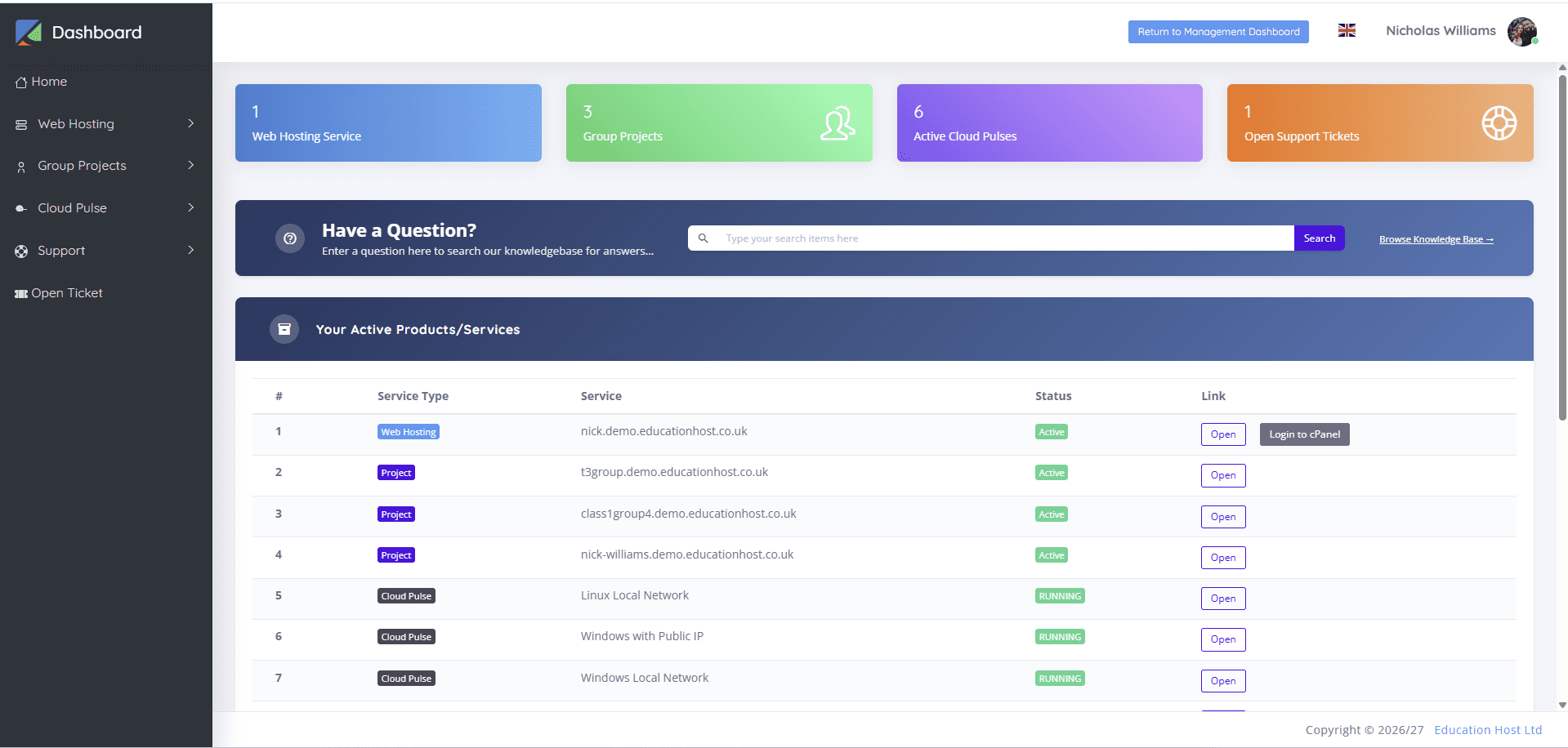
Where your programme's application-engineering modules need full development environments, Cloud Pulse covers that side, and students can see both services in one dashboard where enabled — the one-front-door arrangement the comparison guide describes.