Student web hosting is web hosting provided by a university to its students — each student gets their own hosting account, usually on an institution-branded subdomain, where they can publish websites, run PHP and databases, and install applications such as WordPress for coursework, portfolios and projects. Institutions provide it because practical web teaching needs real hosting, and because institution-managed accounts give every student the same environment with institutional sign-in, lecturer visibility and a clean end-of-course lifecycle — none of which scattered free hosting accounts can offer. This guide covers the whole territory: what hosting is, how it differs from cloud labs, and how to organise, secure, cost and pilot it.
What is web hosting — and what makes it student web hosting?
Web hosting is the service that stores a website's files and serves them to visitors: a web server, storage for files and databases, and the plumbing (domains, DNS, SSL certificates) that lets a browser find and trust the site. When people ask 'where does a website live?', hosting is the answer — and our plain-English foundations guide covers every term from first principles.
Student web hosting is that service shaped for education: an account per student rather than per business, provisioned around courses and cohorts rather than customers, named on institution-branded subdomains, signed into with university credentials, visible to lecturers, and wound down when the course ends. The hosting technology is deliberately standard — usually shared hosting with a control panel such as cPanel — because meeting industry-standard tools is part of the point; the education layer around it is what makes it a teaching service rather than a pile of accounts.
Read next: What is web hosting and how does it work?
Why do universities provide hosting accounts, and what do students build?
Because web skills are only half-taught on localhost. A page that runs on a student's laptop proves the code runs on that laptop; deploying it teaches the rest — file structures on a server, domains and HTTPS, paths that break in production, a database that is not on the same machine — and gives every student something employers can actually visit. Institution-provided accounts add the teaching properties free hosting cannot: every student on the same footing, work at stable URLs through marking windows, and no ad-supported services or personal card details in the middle of coursework.
What students build spans more of the curriculum than computing departments sometimes expect: HTML, CSS and JavaScript coursework from week one; PHP and MySQL applications; WordPress sites for CMS, digital publishing and marketing modules; group project sites; portfolios for creative and computing courses; and client-facing project work in final years. The common requirement is real, publishable hosting under institutional governance.
How is hosting different from a virtual machine or cloud lab?
A hosting account is a managed slice of a web server: students get files, databases and applications on infrastructure someone else administers — the right tool when the subject is building and publishing websites. A cloud lab environment is a whole machine (or network of machines) the student controls: root access, any software, disposable by design — the right tool when the subject is the system itself, such as server administration, networking or security.
The distinction decides delivery model per module, and getting it wrong is expensive in both directions: web-publishing coursework forced into virtual machines buys administration burden nobody needed, while systems teaching forced into hosting accounts hits the walls of a managed environment immediately. Most institutions with practical computing portfolios need both — which is why Education Host runs both a hosting platform and a cloud lab platform, and why this centre's comparison guide is the map between them.
Read next: Shared web hosting versus cloud labs for teaching
What about domains, PHP, databases and WordPress?
Naming: students do not each need a purchased domain — the standard model is an institution-branded subdomain per student (a name like a student ID under a university-owned teaching domain), with SSL included so every site is served over HTTPS. Whether a deployment uses subdomains, full domains or both depends on institutional setup, and the domains and DNS guide explains the mechanics from A records to HTTPS.
Stack: PHP and MySQL remain the backbone of teaching hosting — a genuinely useful, industry-real stack that shared hosting runs natively — and WordPress sits on top of it, installable through one-click installers where the institution enables them. That combination carries web development, CMS and digital-publishing teaching across many departments; the PHP, MySQL and WordPress guide covers running it well, including the security and reset workflows that keep it teachable.
Read next: Domains, subdomains and DNS for student websitesPHP, MySQL and WordPress hosting for teaching
How are accounts created, and how should students sign in?
At cohort scale, by automation: students are imported in bulk or synced from enrolment workflows, accounts are provisioned with standardised institution-branded configurations, and nobody creates five hundred hosting accounts by hand in fresher's week. The account-automation guide covers the workflow — naming, packages, failure handling, auditing — because the difference between a hosting service and a term of manual account work is exactly this machinery.
Sign-in should be institutional: single sign-on against the university identity provider (for most UK institutions, Microsoft Entra ID) rather than separate hosting passwords, so access follows enrolment, existing MFA and conditional-access policies apply, and there is no second credential estate to leak or reset. The SSO guide covers what that integration needs and how to test it.
Read next: How to automate student web-hosting accountsMicrosoft Entra ID SSO for student web hosting
How are classes, modules, cohorts and group projects organised?
Around academic structure, not around a flat list of accounts. Hosting that knows about courses, modules, teaching blocks and campuses can give lecturers visibility of their own cohorts, apply the right package to the right class, follow enrolment changes (late joiners, withdrawals, resits) without manual intervention, and roll cleanly from one academic year to the next. Hosting that treats every account identically pushes all of that onto spreadsheets.
Group projects add their own questions — shared accounts versus individual ones, ownership, what happens when a member leaves, how the submission is preserved — which the group projects guide answers; the organising-by-module guide covers the structural side, including the awkward enrolment cases that always arrive mid-term.
Read next: How to organise student hosting by module, class and cohortWeb hosting for university student group projects
What security controls, backups and resets are needed?
Student hosting has a distinctive risk profile: hundreds of sites run by beginners, on shared infrastructure, with public URLs — so account isolation, sensible defaults, outbound-email control and a clear abuse-response process are foundations rather than extras. No shared platform makes student sites unhackable (an outdated WordPress plugin is the classic route in); what a well-run service does is contain the blast radius, detect problems, and recover cleanly. The security and abuse-management guide covers the full model, drawing on published NCSC and OWASP guidance.
Recovery is the everyday half of the same story: backups as part of the managed service, student-level file and database restores where the panel supports them, lecturer-initiated resets for coursework accounts, and the distinction between a backup (a copy of your data) and a reset (a return to a known starting state) taught rather than discovered. Assessment submissions deserve separate preservation from live sites — a habit the backups guide turns into workflow.
Read next: Student web-hosting security and abuse managementStudent website backups, resets and recovery
What happens after a student leaves?
A deliberate lifecycle, decided before the first cohort rather than improvised at the first graduation: accounts are suspended at module end (reversible — resits and extensions happen), retained through marking and appeals windows, archived for whatever period policy sets, and then deleted, with students given notice and a way to download their work at each stage. Suspension, archiving and deletion are three different operations with three different justifications, and conflating them is how universities end up either destroying coursework mid-appeal or hoarding personal data indefinitely.
Graduating students are the special case worth designing for: portfolios have real career value, and 'your site vanishes on results day' is a poor final experience — but teaching infrastructure is not a lifetime hosting commitment either. The retention guide covers the policy framework; the portfolios guide covers the graduation boundary, including where a commercial or alumni hosting arrangement is the honest next step.
Read next: What happens to student websites after a course ends?Hosting student portfolios and client web projects
How much does university student hosting cost?
The honest answer is a cost structure, not a rate card: infrastructure sized for account volumes and academic-year peaks, storage and backups, control-panel and application licensing, security and monitoring, support — and the staff time that self-managed delivery consumes, which is the line most budgets forget. Costs scale with student numbers, but not linearly: the management layer, not the disk space, is where per-student effort either compounds or disappears.
The costs guide sets out the full budgeting framework and the procurement questions to ask any provider — Education Host included, whose pricing is deliberately deployment-scoped (built from your student numbers, hosting model and support needs) rather than published as a universal price.
Read next: How much does student web hosting cost universities?
What should universities evaluate before choosing a service?
Evaluate against how teaching actually runs, using questions that expose the education layer rather than the hosting commodity underneath:
- Identity — does it sign in with our university accounts (Microsoft Entra ID for most), or issue another password estate?
- Provisioning — can it create a cohort's accounts from a class list or enrolment workflow, and what happens when the list changes mid-term?
- Academic structure — does it know what a module, teaching block and cohort are, or is that our spreadsheet's job?
- Lecturer experience — can teaching staff see and support their own students without infrastructure access or IT tickets?
- Student experience — familiar industry tools (cPanel, WordPress where enabled), institution-branded URLs with SSL, and a coherent dashboard
- Lifecycle — suspension, archival and deletion aligned to module dates and marking windows, in bulk
- Security and abuse handling — isolation model, outbound-email controls, and who responds when a site is compromised
- Reporting — engagement and usage visibility (who has never logged in matters as much as who has)
- Support and ownership — who answers student questions, in whose hours, with what understanding of term dates
- Costs and exit — the full structure above, plus how accounts and content would migrate out
How should a university pilot student hosting?
The same discipline as any teaching-infrastructure pilot: one or two real modules with a genuine hosting need, a full teaching block including an assessment window, success criteria written before the start, and all three constituencies involved — the lecturer, the IT owner and the students. Provision the cohort through the real workflow (not hand-created test accounts), run sign-in through the real identity integration, and deliberately exercise the awkward parts: a mid-term enrolment change, a broken site reset, a suspension and reopening, and end-of-module archival.
Measure what the decision needs: time from class list to working accounts, support ticket volume and themes, lecturer hours spent on hosting administration versus the previous approach, student publication rates, and the measured cost per module delivered. The implementation sequence after a successful pilot is then mostly widening: more modules onto structures the pilot already proved. Our cloud-labs pilot guide's staging and evidence framework transfers almost unchanged to hosting pilots.
Read next: How to run a university cloud lab pilot
Where does Student Web Host Manager fit?
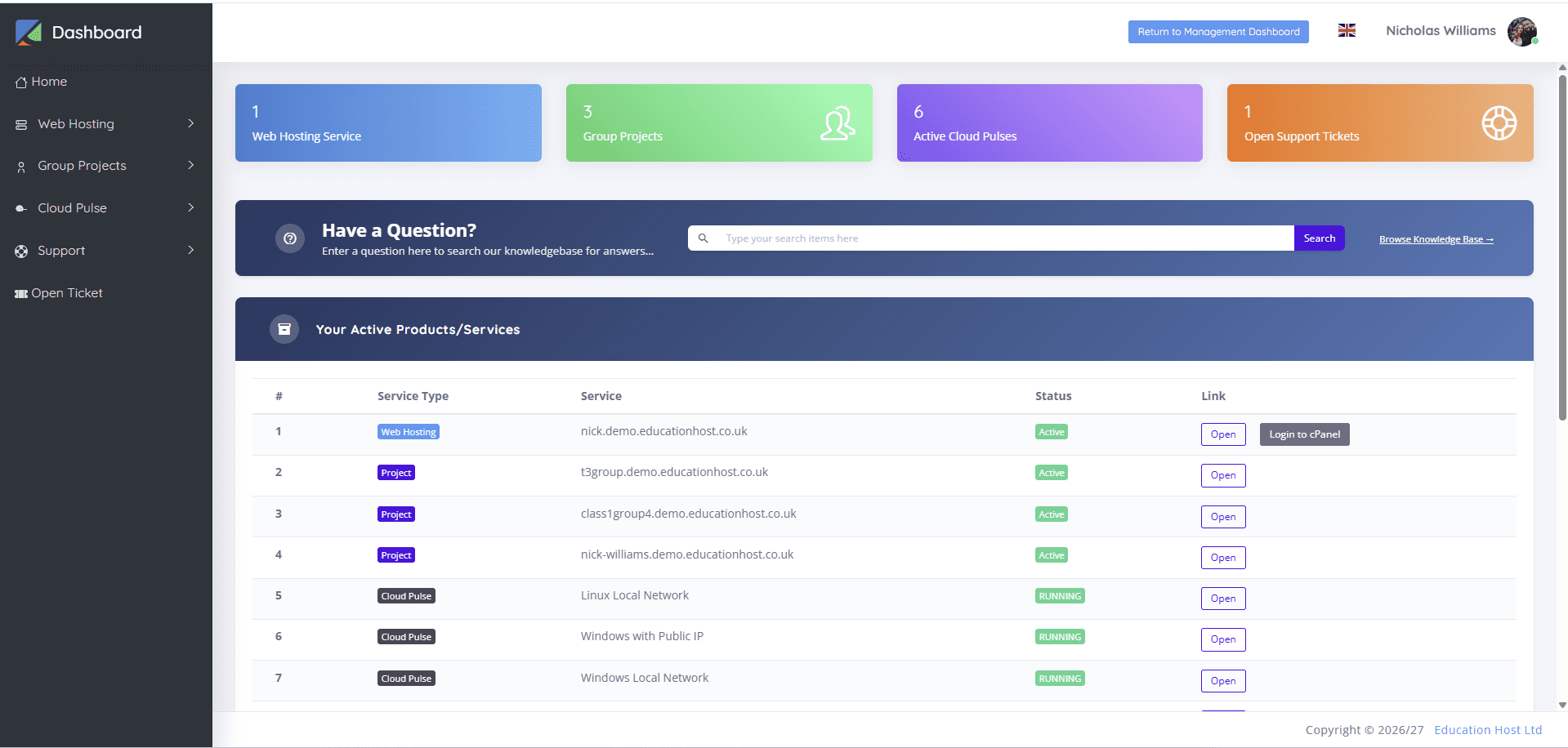
Student Web Host Manager is Education Host's education-focused management layer over real cPanel hosting — built for exactly the requirements this guide has described. Students are imported in bulk or synced via enrolment workflows and sign in with Microsoft Entra; hosting is organised around courses, modules, teaching blocks and campuses; lecturers get delegated visibility of their own cohorts; the suspension manager and lifecycle states (active, restricted, archived, reopened) follow the academic calendar; group project hosting sits alongside individual accounts; and the Statistics Manager reports engagement, never-logged-in accounts and server distribution across the estate. Underneath, students work in industry-standard cPanel — files, databases, WordPress tooling where enabled — on institution-branded subdomains with SSL, on infrastructure Education Host manages, backs up and supports.
It is one way to run student hosting rather than the only way — the delivery-models guide compares the alternatives honestly — but if the evaluation checklist above matches your requirements, the platform page shows the actual product, and a scoped pilot is the sensible way to test it against a real module.