
Answer centre
School cover management: guides and practical advice
For the people organising staff absence, lesson cover and school supervision. Find clear answers, practical checklists and the setup questions to ask before changing your school's process.
What is school cover management?
School cover management connects staff absence reporting, approval decisions, lesson requirements and confirmed replacements. It gives the school a clear view of what is covered, what remains open and what staff need to know for the day. Supervision duties add a related rota of times, locations and required staffing.
Who are these guides for?
Cover managers, headteachers, school administrators, duty managers and IT or MIS teams. Start with the overview if you are evaluating a new process, or go straight to a daily task. The guides distinguish general operational advice from Cover Manager's capabilities and explain where school decisions or data checks are still needed.
Find an answer to your school cover question
Start with the whole workflow, then explore the decisions that affect your school day.
Start here
School cover management: a practical guide
Bring absence requests, approvals, lesson cover and supervision into a clear daily process, and decide what software needs to support.
Read the practical guideAbsence and daily cover
Running Morning Cover
A repeatable morning checklist for unexpected absence, open sessions, allocation decisions and the daily cover sheet.
Read the guideAbsence and daily cover
Staff absence approvals
Choose who approves each type of request, handle exceptions and keep planned leave separate from unexpected absence recording.
Read the guideAbsence and daily cover
Fair cover allocation
Separate eligibility from workload balancing, understand explained suggestions and keep managers in control of confirmed cover.
Read the guideDuty rotas and supervision
Duty Manager and school rotas
Build a weekly supervision rota, manage open positions, handle absence releases and reuse assignments without overlooking conflicts.
Read the guideMIS and school onboarding
MIS and timetable integration
Understand the Wonde connection, staff linking and lesson context, and check what a missing or incomplete dataset means for cover planning.
Read the guideMIS and school onboarding
School onboarding checklist
Prepare Microsoft consent, MIS staff linking, approval rules and a small set of working-day checks before introducing Cover Manager to staff.
Read the guideAbsence and daily cover
Reporting and cover workload
Distinguish requests from cover sessions, compare consistent periods and turn absence and allocation reports into useful operational questions.
Read the guideBrowse by responsibility
Choose the part of the process you own, with related guides and links to the product workflow.
Absence and daily cover
From a request or early-morning call to a confirmed replacement, daily briefing and workload review.
Duty rotas and supervision
Plan gates, breaks and lunch, manage open positions and handle changes when staff are away.
MIS and school onboarding
Prepare Microsoft sign-in, verify timetable data and agree school responsibilities before rollout.
See these workflows in Cover Manager
Cover Manager by Education Host brings planned absence, approval routes, Morning Cover, explained cover suggestions and duty rotas together. Explore the product page for current screenshots and arrange a demonstration around your school's working day.
Explore Cover Manager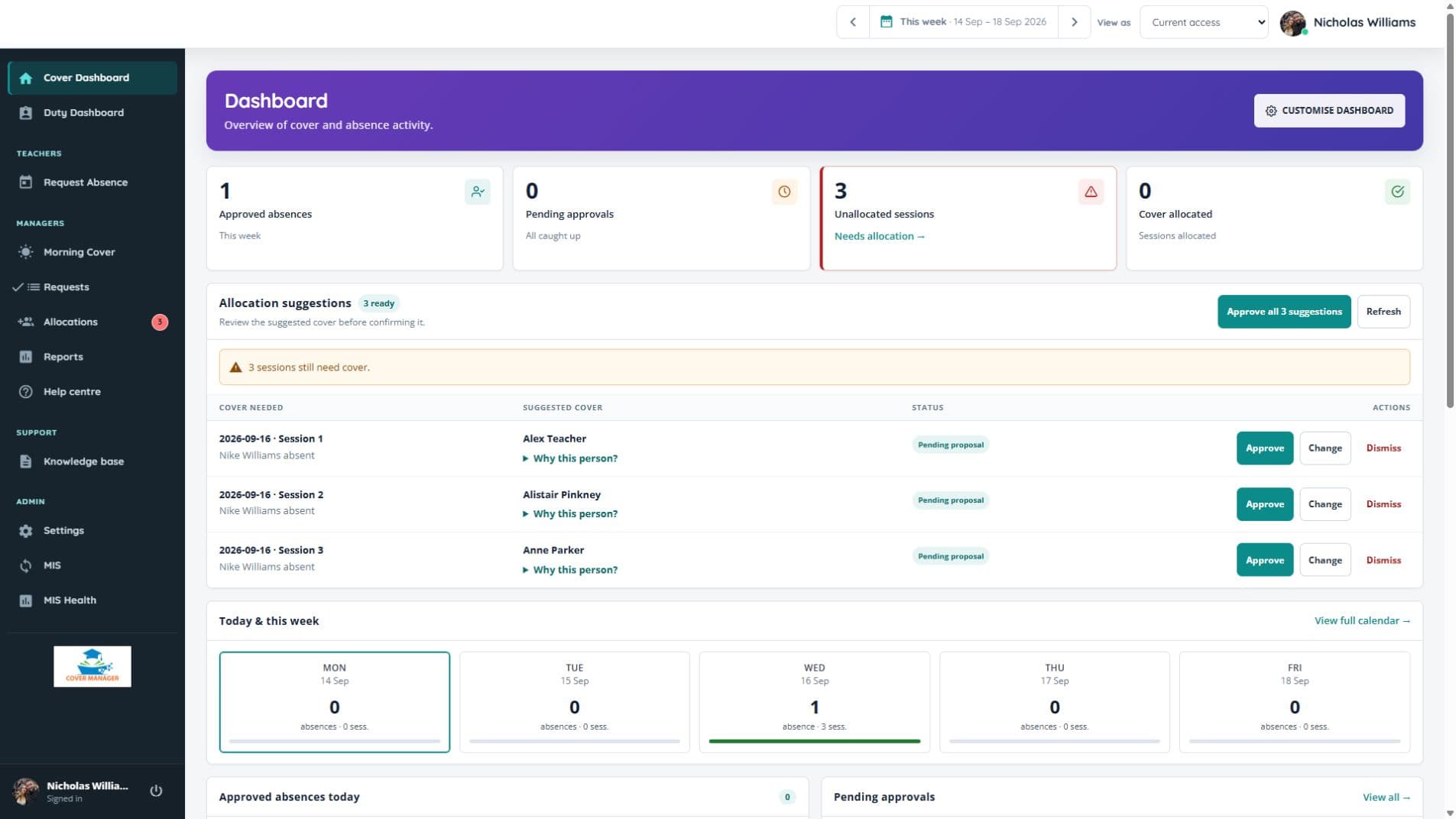
Actual Cover Manager screen with fictional demonstration records, captured in September 2026.
School cover management questions
Direct answers to help you choose the right guide and next step.
What is the difference between absence management and cover management?
Absence management records and reviews staff time away. Cover management identifies the lessons and duties affected, confirms replacements and communicates the arrangements. An approved absence can still have unallocated cover requirements.
Can Duty Manager be used without an MIS connection?
Yes. Cover Manager's Duty Manager maintains recurring supervision periods, locations and staffing requirements independently of Wonde sync. Timetable-aware lesson cover still depends on the relevant MIS data and permissions.
Does Cover Manager confirm suggested cover automatically?
No. Cover Manager can suggest staff and explain the choice, but a manager reviews the proposal before confirmation. Schools can configure priorities and workload limits alongside availability checks.
Where can we see Cover Manager and discuss setup?
The Cover Manager product page shows current screens, explains the main workflows and provides the demo booking link. Education Host can discuss your school's approval process, duty rota, Microsoft sign-in and MIS requirements.
Planning a better school cover workflow?
Talk through your absence process, duty rota and school setup with Education Host. Bring the difficult cases you need a platform to handle.